Using BeautifulSoup and Requests with Mobile Proxies: A Step-by-Step Guide for Beginners
Contents: Introduction · Preparation · Basic Concepts · Step 1: Installing Python and Libraries · Step 2: Quick Test Without Proxies · Step 3: Requesting Through a Mobile Proxy · Step 4: IP Rotation · Step 5: Errors, Timeouts, and Retries · Step 6: Captcha Handling · Result Verification · Common Issues · Advanced Features · FAQ · Conclusion
Introduction
In this step-by-step guide, you'll set up your Python environment, make requests to web pages through mobile proxies, scrape necessary data using BeautifulSoup, and learn to work with IP rotation safely and reliably. We will use the Requests library for network requests and BeautifulSoup for parsing HTML. By the end, you'll have a minimally viable scraper that: sends HTTP requests through a mobile proxy, appropriately modifies headers for mobile devices, retries requests with smart backoff during errors, rotates IPs on the mobile proxy provider's side, handles captchas carefully, and saves data in a convenient format.
This guide is for: beginners who are just getting acquainted with web scraping; professionals from related fields (marketing, research, OSINT) who need a simple and reliable tool; developers who need to quickly create a working prototype and further develop it.
What you should know in advance: basic computer skills; an understanding of what a file and folder are and how to run a command line; minimal familiarity with Python is a plus but not mandatory, as we will go step by step. It’s important: you must have legal grounds for processing target pages and comply with the site's rules, including robots.txt and user agreements.
How much time it will take: 2-4 hours if you do everything sequentially. Setting up the environment and the quick test will take up to 30 minutes. Connecting a mobile proxy and setting up rotation will take anywhere from 40 minutes to 1.5 hours. Adding error handling and captcha management will take 30 to 60 minutes.
Tip: Save a link to Step 4: IP Rotation and Step 5: Errors, Timeouts, and Retries. These sections are most often needed for debugging and improving stability.
⚠️ Attention: All material is provided for educational and lawful scraping purposes. Do not use techniques to bypass access restrictions, do not violate the law or the terms of service of websites. We also do not discuss VPNs and other ways to bypass blocks.
Preparation
Required tools and access: a computer with Windows, macOS, or Linux; internet access; installed Python 3.11-3.13 (latest version recommended); pip package installer; text editor (Visual Studio Code, PyCharm Community, or any other). You will also need an account with a mobile proxy provider. As an example, you can refer to the functional requirements provided by services like mobileproxy.space: a separate proxy endpoint, authentication by login and password or by IP, configurable rotation (by timer or API), request statistics.
System requirements: at least 4 GB of RAM; 1-2 GB of free disk space for Python and libraries; a stable internet connection of at least 10 Mbps; ability to install software. Administrator rights are only needed for installing Python (on Windows).
What to download and install: Python installer; code editor (e.g., VS Code); libraries requests, beautifulsoup4, lxml (for faster HTML parsing).
Backup creation (if applicable): before modifying existing projects, create a backup of the code folder. If you are creating a project for the first time, establish a separate working directory. Store the file containing proxy access credentials outside the repository and, if possible, use a .env file and a secrets manager.
Tip: Create a project folder without spaces and without Cyrillic characters in the name, for example parser_mobile_proxy. This will simplify script execution and eliminate path errors.
Basic Concepts
Key terms in simple language: parsing or web scraping is the automated collection of publicly available data from site pages. Requests is a Python library for sending HTTP requests. BeautifulSoup is a Python library for parsing HTML and extracting content fragments by tags, classes, and attributes. A proxy is an intermediate server that sends a request to a site on its behalf. A mobile proxy uses IP addresses from mobile operators. IP rotation is changing the outgoing IP periodically or on command.
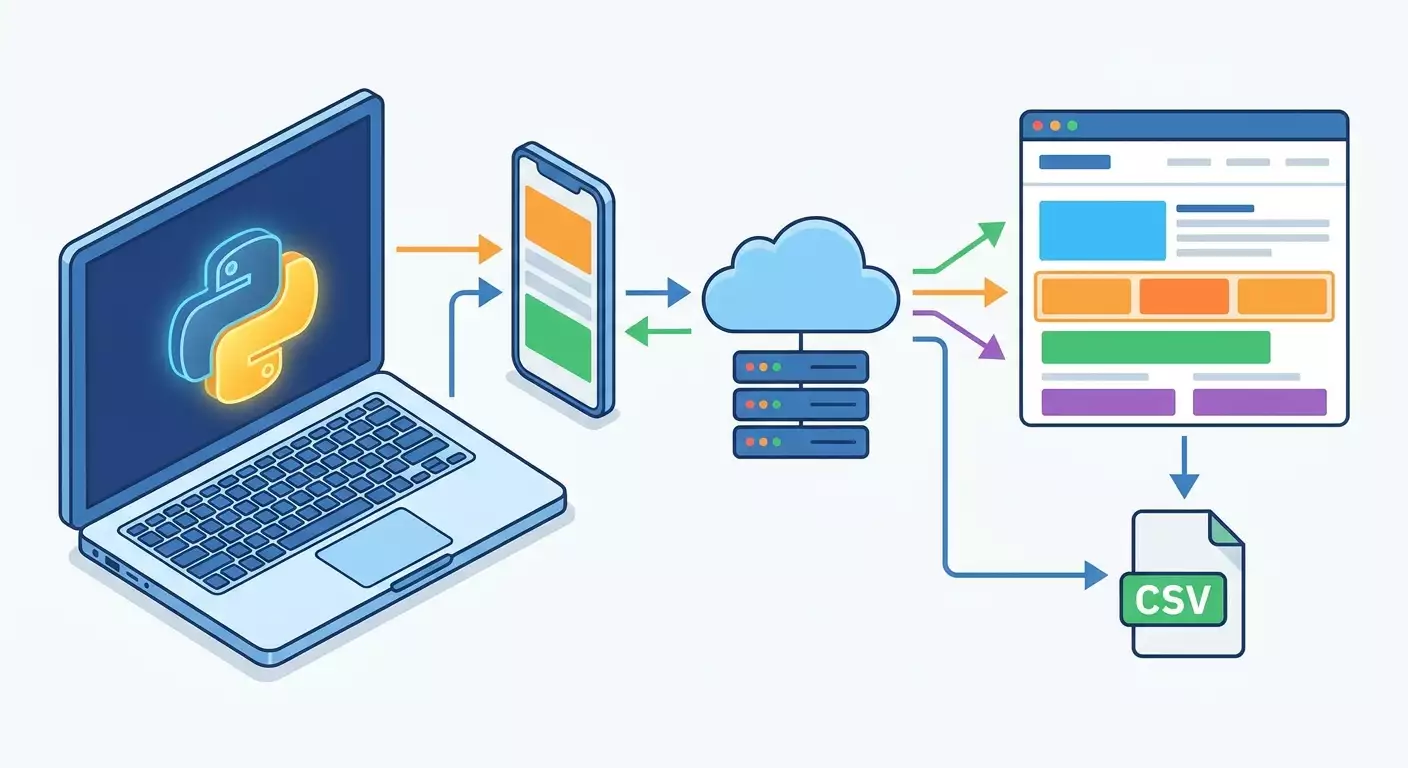
Basic operating principles: you create an HTTP request to a site; your request goes through a mobile proxy; the site sees the proxy address, not yours. You obtain an HTML page and parse it using BeautifulSoup.
What is important to understand before starting: comply with robots.txt and the site's terms of use; do not overload the server with frequent requests; use timeouts; send a reasonable number of parallel requests; handle 4xx and 5xx response codes carefully. Mobile proxies help reduce the likelihood of fraud triggers and restrictions since mobile IP address ranges are actively used by real users. However, stability depends on the quality of the provider, load, and the correctness of your code.
⚠️ Attention: Do not use parsing to bypass authorization or access closed sections without permission. Do not attempt to interfere with the operation of the site. Work only with open data that you have the right to process.
Step 1: Installing Python and Libraries
Stage Objective
We will install Python and the necessary libraries, create a project and the base files. After this step, you will be able to run scripts and perform HTTP requests.
Step-by-Step Guide
- Download and install Python from the official site. When installing on Windows, check the box to Add Python to PATH. On macOS, you can use the package manager brew or the official installer. On Linux, use your system's repositories.
- Check the installation. Open the terminal and run the command: python --version or python3 --version. Make sure the version is between 3.11 and 3.13.
- Create a project folder, e.g., C:\Users\your_username\parser_mobile_proxy or /Users/your_username/parser_mobile_proxy.
- Open the project folder in your code editor. Create a main.py file and a requirements.txt file.
- Add to requirements.txt: requests==2.32.3; beautifulsoup4==4.12.3; lxml==5.2.2.
- Install dependencies using the command pip install -r requirements.txt or pip3 install -r requirements.txt.
- Check that the libraries are installed. In the terminal, run python -c "import requests, bs4, lxml; print('ok')". It should output ok.
Important Points
Important: Install libraries in a virtual environment to avoid version conflicts. You can create an environment using the command python -m venv .venv and activate it with source .venv/bin/activate (macOS, Linux) or .venv\Scripts\activate (Windows), after which you can use pip install -r requirements.txt.
Tip: If you do not have administrator rights, use the user installation pip install --user -r requirements.txt or work in a virtual environment.
Expected Outcome
You can run a simple script and import the necessary modules without errors.
Possible Problems and Solutions
- The command python is not found. Solution: use python3 or ensure that PATH is set up. Reinstall Python with the Add to PATH option enabled.
- Version conflict with lxml. Solution: update pip (python -m pip install --upgrade pip) and then reinstall lxml.
- Insufficient rights during installation. Solution: activate the virtual environment or use the --user flag.
✅ Check: The command python -c "import requests, bs4; print('ready')" outputs ready, and the main.py file exists in the project folder.
Step 2: Quick Parsing Test Without Proxies
Stage Objective
Understanding that the basic requests + BeautifulSoup combo works before connecting proxies. We will make a regular request to a test page and extract the title.
Step-by-Step Guide
- Open the main.py file in the editor.
- Insert the basic code for making requests and parsing.
- Run the script and check the output.
Sample Code
import requests; from bs4 import BeautifulSoup; session = requests.Session(); session.headers.update({"User-Agent": "Mozilla/5.0 (Linux; Android 13; Pixel 7) AppleWebKit/537.36 (KHTML, like Gecko) Chrome/123.0 Mobile Safari/537.36"}); url = "https://example.com"; resp = session.get(url, timeout=30); html = resp.text; soup = BeautifulSoup(html, "lxml"); title = soup.title.text.strip() if soup.title else "(no title tag)"; print("Status:", resp.status_code, "Title:", title)Important Points
Important: We use a mobile User-Agent to mimic a mobile browser. This will help align behavior with the mobile proxy in the next step.
Tip: If the target page can return different versions for desktop and mobile devices, save the HTML to a file for debugging: open("page.html", "w", encoding="utf-8").write(html). This way, you can study the structure of tags.
Expected Outcome
The script prints the response code and page title. This is a basic check that the parser sees HTML and can parse it.
Possible Problems and Solutions
- Code 403 or 404. Solution: check the URL; try changing the User-Agent; ensure the site is accessible.
- Timeout. Solution: increase the timeout to 60, check the internet connection.
- Incorrect encoding. Solution: use resp.encoding = resp.apparent_encoding before parsing.
✅ Check: You see status 200 and the string Title: (page title). The folder may have a page.html file if you saved the HTML.
Step 3: Requesting Through a Mobile Proxy
Stage Objective
Connect the mobile proxy to requests, send a request, and ensure that the traffic is indeed going through the proxy, not directly. We’ll also add authentication and check headers.
What to Prepare
Your mobile proxy data: host (e.g., proxy.provider.local or IP address), port (e.g., 12345), username and password for authentication, or a confirmed IP whitelist if the provider authenticates by IP address. Most mobile providers, including those like mobileproxy.space, offer these parameters in your account dashboard.
Step-by-Step Guide
- Open the main.py file.
- Add a proxies dictionary with your proxy's data.
- Send a request through session.get with the proxies parameter.
- Check that the response has arrived and parse the page.
Sample Code
import requests; from bs4 import BeautifulSoup; PROXY_HOST = "PROXY_HOST"; PROXY_PORT = 12345; PROXY_USER = "USER"; PROXY_PASS = "PASS"; proxy_auth = f"http://{PROXY_USER}:{PROXY_PASS}@{PROXY_HOST}:{PROXY_PORT}"; proxies = {"http": proxy_auth, "https": proxy_auth}; session = requests.Session(); session.headers.update({"User-Agent": "Mozilla/5.0 (iPhone; CPU iPhone OS 16_2 like Mac OS X) AppleWebKit/605.1.15 (KHTML, like Gecko) Version/16.2 Mobile/15E148 Safari/604.1", "Accept-Language": "ru-RU,ru;q=0.9,en-US;q=0.8,en;q=0.7"}); url = "https://example.com"; resp = session.get(url, proxies=proxies, timeout=45); print("HTTP:", resp.status_code); soup = BeautifulSoup(resp.text, "lxml"); print("TITLE:", soup.title.text.strip() if soup.title else "(no)")Important Points
Important: If your provider authenticates by IP, use the proxies format without username and password: "http": f"http://{PROXY_HOST}:{PROXY_PORT}". Ensure that your current IP is added to the whitelist in the provider's panel.
Tip: In the first run, add the verify=False parameter only for diagnosing TLS errors. Do not leave this in production. Better to install root certificates if the provider requires it.
Tip: Save proxy settings in a .env file: PROXY_HOST, PROXY_PORT, PROXY_USER, PROXY_PASS. Load them through os.getenv or the python-dotenv library to avoid storing secrets in code.
Expected Outcome
You receive code 200 and a valid TITLE. If the target page displays the IP, it will differ from yours because the request goes through the mobile proxy.
Possible Problems and Solutions
- 407 Proxy Authentication Required. Solution: check your username and password; ensure you are using the correct URL format with authentication.
- 403 Forbidden. Solution: switch the User-Agent to mobile; check Accept-Language headers; decrease request frequency.
- ConnectionError or ReadTimeout. Solution: increase the timeout, check proxy stability with the provider, retry the request with backoff.
✅ Check: The response comes with a status of 200. The TITLE is correct. If you are testing on a page that shows your IP, it corresponds with the mobile proxy IP (see the provider's dashboard).
Step 4: IP Address Rotation Safely and Predictably
Stage Objective
Set up IP rotation for the mobile proxy by timer or API command. This enhances scraping resilience and reduces the chances of hitting protective restrictions. We will implement two methods: a cyclic list of proxy endpoints and rotation within a single endpoint using the provider's API or timer.
Step-by-Step Guide
- Define the rotation strategy: by time (e.g., every 5-10 minutes), by the number of requests (e.g., every 10-20 requests), or a hybrid approach.
- If you have multiple proxy endpoints, prepare a list and implement round-robin switching.
- If your provider has an API for IP switching for a single endpoint, add the call to the code and wait for the confirmed rotation window (usually 10-60 seconds).
- Be aware of the provider’s limitations: minimum rotation interval and API call limits per day.
- Plan pauses and IP checks after the rotation to ensure the new IP is active.
Example of Round-Robin Across Multiple Endpoints
import itertools, requests; from bs4 import BeautifulSoup; proxies_list = [ {"http": "http://user1:pass1@host1:10001", "https": "http://user1:pass1@host1:10001"}, {"http": "http://user2:pass2@host2:10002", "https": "http://user2:pass2@host2:10002"} ]; cycle = itertools.cycle(proxies_list); def fetch(url): s = requests.Session(); s.headers.update({"User-Agent": "Mozilla/5.0 (Linux; Android 14) AppleWebKit/537.36 (KHTML, like Gecko) Chrome/124.0 Mobile Safari/537.36"}); proxies = next(cycle); r = s.get(url, proxies=proxies, timeout=45); return r; r = fetch("https://example.com/catalog"); print(r.status_code)Example of Rotation Within a Single Endpoint by API
Many mobile proxy providers, including options from mobileproxy.space, allow IP switching within the same endpoint by timer (e.g., every N minutes) or by API request. In code, this looks like an additional call to the provider's service URL. Below is a general template. Replace the URL and token with your dashboard credentials. Be mindful of limits and rotation windows.
import time, requests; def rotate_ip(api_rotate_url, timeout=30): try: r = requests.get(api_rotate_url, timeout=timeout); return r.status_code, r.text; except Exception as e: return None, str(e); api_url = "http://PROXY_HOST:PORT/changeip?token=YOUR_TOKEN"; status, body = rotate_ip(api_url); print("ROTATE:", status, body); time.sleep(20); # wait for the rotation window; s = requests.Session(); proxies = {"http": "http://USER:PASS@PROXY_HOST:PORT", "https": "http://USER:PASS@PROXY_HOST:PORT"}; resp = s.get("https://example.com", proxies=proxies, timeout=45); print(resp.status_code)Important Points
Important: Rotation is not a silver bullet. If you make too many requests in a short period, protection triggers may activate even when switching IPs. Maintain a moderate frequency, use random delays, and retries with backoff.
Tip: Plan rotations by hour and load. For example, one rotation every 10-20 minutes plus a switch after 15-25 requests to the same domain. This smooths behavior and looks more natural.
Tip: Store request metadata: which proxy was used, what IP was before, what status the server returned. This will speed up troubleshooting.
Expected Outcome
Your code reliably switches proxy endpoints or initiates IP change on single endpoints and waits for the rotation window. After the switch, requests continue to execute with a status of 200.
Possible Issues and Solutions
- IP does not change after calling the API. Solution: wait longer, check limits; ensure you are calling the correct URL and the token is valid; check provider dashboard statistics.
- Availability drops during rotation. Solution: switch to another endpoint during the rotation, use a backup channel in round-robin.
- Frequent 429 Too Many Requests. Solution: increase the interval between requests, reduce the overall number of concurrent threads.
✅ Check: By regularly printing the current IP in logs, you can see that the address changes according to the rotation strategy while the status of requests remains 200-299.
Step 5: Error Handling, Timeouts, and Retries
Stage Objective
Make your scraper resilient to network failures and temporary server errors. We’ll add timeouts, retries with exponential backoff, random delays, and logging.
Step-by-Step Guide
- Define the maximum number of retries (e.g., 3-5) and the base delay (e.g., 1-2 seconds).
- Implement backoff: increase wait time by 2 times plus some random noise with each failure.
- Handle 5xx and 429 codes as temporary, treat 4xx codes with caution (403 is often a permanent block).
- Add clear logs to understand what happens at each step.
- Encapsulate network calls in a fetch_safely function that can be reused easily.
Sample Code
import time, random, requests; from bs4 import BeautifulSoup; def fetch_safely(url, session, proxies=None, max_retries=4, base_delay=1.5, timeout=45): attempt = 0; while attempt <= max_retries: try: r = session.get(url, proxies=proxies, timeout=timeout); if r.status_code in (200, 201): return r; elif r.status_code in (429, 500, 502, 503, 504): delay = base_delay * (2 ** attempt) + random.uniform(0.0, 0.7); time.sleep(delay); attempt += 1; continue; elif r.status_code == 403: return r; else: return r; except (requests.exceptions.ConnectTimeout, requests.exceptions.ReadTimeout, requests.exceptions.ConnectionError) as e: delay = base_delay * (2 ** attempt) + random.uniform(0.1, 0.9); time.sleep(delay); attempt += 1; continue; return NoneImportant Points
Important: Set reasonable timeouts: 30-60 seconds for unstable channels, 10-20 seconds for fast networks. Do not disable SSL verification unless absolutely necessary.
Tip: For logs, use the logging module. Start with a minimal config: logging.basicConfig(level=logging.INFO, format="%(asctime)s [%(levelname)s] %(message)s"). This is convenient for diagnostics.
Tip: Separate "temporary failures" from "permanent failures". Retry for temporary ones; fix and move on for permanent ones to avoid infinite loops.
Expected Outcome
The script continues to work during temporary errors and returns a response, or correctly moves to the next task without crashing.
Possible Issues and Solutions
- Retries don’t help, always 429. Solution: decrease request frequency, lengthen delays, increase the window between IP rotations.
- Consistent 403. Solution: clarify the site's policy, check header accuracy, reduce frequency, and use official APIs if needed.
- Frequent ConnectionError. Solution: check your mobile proxy provider; you may need a different region or port.
✅ Check: When simulating failures, you see in logs retries with increasing delays. After 1-2 attempts, many requests complete successfully.
Step 6: Detecting and Handling Captchas Legally
Stage Objective
Learn to recognize when a page returns a captcha and react appropriately: reduce load, temporarily pause requests, and use IP rotation correctly. We will not bypass protection but will act within the framework of good-faith scraping.
Step-by-Step Guide
- Identify signs of captcha on target sites: presence of keywords in HTML (captcha, g-recaptcha), forms with unusual fields, placeholder pages.
- Incorporate a check in your code to examine HTML content before parsing the main logic.
- If captcha is detected, take gentle actions: increase pause; decrease frequency on the domain; initiate IP rotation; try making the request again.
- If captcha persists, cease automatic attempts and review the site's terms of use. Data might be available through an official API.
Sample Code
from bs4 import BeautifulSoup; import time, requests; def is_captcha(html): text = html.lower(); hints = ["captcha", "g-recaptcha", "hcaptcha", "distil", "cloudflare", "please verify", "are you a human"]; return any(h in text for h in hints); def get_with_captcha_handling(url, session, proxies, rotate_func=None): r = session.get(url, proxies=proxies, timeout=45); if r.status_code == 200 and not is_captcha(r.text): return r; time.sleep(10); if rotate_func: try: rotate_func(); time.sleep(20); except Exception: pass; r2 = session.get(url, proxies=proxies, timeout=60); return r2Important Points
Important: If captcha continues to appear, reduce scanning intensity, wait for the next rotation window, or switch to another endpoint. Maintain good faith and respect the site's rules.
Tip: Sometimes captcha only appears for specific paths. Only reduce frequency for those paths, not the entire domain. This will maintain overall speed.
⚠️ Attention: We do not discuss circumventing captchas using third-party services, bypass scripts, browser emulation, or similar techniques. Work only within permitted frameworks, using official APIs if available.
Expected Outcome
The script can softly react to the appearance of captcha: it pauses, initiates IP switch (if available), and retries the request. This reduces false refusals and helps maintain stability.
Possible Issues and Solutions
- Captcha on every request. Solution: drastically reduce frequency, use varying intervals between requests, switch time zones or proxy regions with the provider (if available), and review robots.txt.
- Captcha disappears, but data remains unstable. Solution: increase timeouts, save and analyze HTML, and compare page versions for different IPs.
✅ Check: When artificially triggering (for example, sending frequent requests in a short period), you see pauses and rotations in logs, followed by successful responses without captcha.
Result Verification
Checklist
- Python installed, dependencies set.
- Script without proxy obtains HTML and parses the title.
- Script with mobile proxy returns status 200.
- IP rotation is enabled and verified.
- Retries on errors work, timeouts are set.
- Captcha signs are handled.
- Data is saved to a file or printed to console as expected.
How to Test
- Run the basic request without a proxy and ensure that title parsing works.
- Enable the proxy and repeat the request, comparing results.
- Call for IP change from the provider (if available) and repeat request after 20-60 seconds.
- Artificially reduce the timeout to 1-2 seconds and check that retries with backoff are activated and then return to normal once the timeout is restored.
- Load the site with several consecutive requests and ensure that when signs of captcha occur, pauses are implemented and, if needed, rotation is triggered.
Indicators of Successful Execution
- The ratio of successful requests exceeds 90% on 'calm' sites.
- Codes 429 and 5xx occur rarely and are managed with retries.
- IP rotation occurs in the designated mode without long downtimes.
Tip: Introduce metrics for "response time" and "number of retries" and log them. This will help understand when to change rotation strategies or request frequency.
Common Issues and Solutions
- Problem: 407 Proxy Authentication Required. Cause: incorrect username or password, incorrectly formulated proxy URL. Solution: recheck the format http://USER:PASS@HOST:PORT, ensure there are no extraneous characters and spaces; if authentication is IP-based, remove username and password.
- Problem: 403 Forbidden. Cause: site protection triggered, unsuitable User-Agent, or too frequent requests. Solution: use a mobile User-Agent, reduce frequency, enable IP rotation, check Accept, Accept-Language, and Referer headers.
- Problem: 429 Too Many Requests. Cause: frequency limit exceeded. Solution: add exponential backoff, increase pauses, rotate less frequently, and space requests throughout the day.
- Problem: ConnectionError or ReadTimeout. Cause: unstable proxy channel or overloaded network. Solution: increase timeout, retry with backoff, and use a backup endpoint.
- Problem: incorrect parsing, empty data. Cause: HTML structure has changed, or content is loaded via JavaScript. Solution: update BeautifulSoup selectors; if data is generated dynamically, examine the page's network requests and use their official JSON endpoints where available and permitted.
- Problem: captcha on every page. Cause: aggressive load or suspicious activity. Solution: reduce frequency, increase pauses, use rotation, check header accuracy and compliance with robots.txt.
- Problem: blocking after multiple successful requests. Cause: predictable script behavior. Solution: introduce random delays, vary the order of requests, alternate proxies, and refresh headers.
Tip: Save HTML examples before and after incidents. This will quickly distinguish changes in layout from signs of anti-bot protection.
Advanced Features
Advanced Settings
- Sessions and cookies: use requests.Session for automatic cookie storage, which brings behavior closer to that of a real browser.
- Headers: add Accept, Accept-Language, Referer, and DNT as needed. Change the User-Agent from a pool of mobile agents.
- SOCKS proxies: if necessary, connect requests[socks]. However, mobile proxies are often provided as HTTP(S).
- Saving to CSV or JSON: after parsing, save data to files. This is convenient for integrations.
Example of a Mini-Scraping Pipeline
import csv, requests, time; from bs4 import BeautifulSoup; MOBILE_UA = "Mozilla/5.0 (Linux; Android 14) AppleWebKit/537.36 (KHTML, like Gecko) Chrome/124.0 Mobile Safari/537.36"; session = requests.Session(); session.headers.update({"User-Agent": MOBILE_UA}); proxies = {"http": "http://USER:PASS@HOST:PORT", "https": "http://USER:PASS@HOST:PORT"}; urls = ["https://example.com/page1", "https://example.com/page2"]; rows = []; for u in urls: r = session.get(u, proxies=proxies, timeout=45); if r.status_code == 200: s = BeautifulSoup(r.text, "lxml"); title = s.title.text.strip() if s.title else ""; rows.append({"url": u, "title": title}); time.sleep(2); open("data.csv", "w", newline="", encoding="utf-8"); with open("data.csv", "w", newline="", encoding="utf-8") as f: w = csv.DictWriter(f, fieldnames=["url","title"]); w.writeheader(); w.writerows(rows); print("saved:", len(rows))Optimization
- Batch processing: group requests by domains considering delays and rotation.
- Caching: save already obtained pages locally to avoid asking for them again without necessity.
- Throttling strategy: plan request times for "off-peak" hours when the site is less loaded.
Tip: If you have many tasks, divide them into smaller batches and run them sequentially. This increases stability and lowers the chance of captchas.
Tip: Many mobile proxy providers (including solutions like mobileproxy.space) have dashboards with clear statistics. Cross-check timing, frequency, and response codes—this gives insight into when to correctly initiate rotation.
FAQ
Question: How to ensure the request is going through the mobile proxy? Answer: Check active connections and the current external IP in the provider dashboard, compare it with what you see in page responses. Also, the provider usually shows endpoint request statistics.
Question: How to choose a User-Agent: Android or iOS? Answer: Select the platform that your content operates for (mobile version of the site). Often, the Android agent yields predictable results. Test both and note where there are fewer refusals.
Question: How often to change IP when scraping? Answer: The basic recommendation is no more than once every 10-20 minutes, or after 15-25 requests to a domain. Adjust based on load; do not overdo frequent rotation.
Question: What to do if a site serves content via JavaScript? Answer: Examine the page's network requests (in browser developer tools). Often, data comes through JSON endpoints. If access is legal and does not violate terms, use these endpoints. Otherwise, check site rules.
Question: Can multiple mobile providers be used simultaneously? Answer: Yes, if it is necessary for load distribution. Set up round-robin and monitor the limits of each provider.
Question: How to store credentials securely? Answer: Use environment variables and a .env file, do not commit secrets to the repository. In production, keep secrets in secrets managers.
Question: How to properly stop the script in case of mass errors? Answer: Introduce a counter for unsuccessful attempts and a threshold. If N domain requests fail consecutively, implement a long pause, log the incident, and terminate the process.
Question: Do I need lxml if there’s a built-in html.parser? Answer: The built-in parser is suitable for simple cases. lxml is faster and more tolerant of partially incorrect HTML. For regular parsing, lxml is recommended.
Question: What to do if the site changes its layout? Answer: Keep test pages, add regression checks for selectors. When changes occur, update the BeautifulSoup logic and write adapter functions for the new structure.
Question: Why do I need a mobile proxy if a regular one works? Answer: Mobile addresses often raise fewer suspicions due to the nature of mobile networks and traffic distribution. This increases the chance of stable responses under reasonable load.
Conclusion
Summary of completed actions: you installed Python and the libraries requests and BeautifulSoup, checked basic parsing without proxies, added mobile proxies, and verified that requests are going through them, configured IP rotation in several ways, and implemented error handling and gentle captcha response. Now you have a foundational project for sustainable and good-faith scraping of public data.
What to do next: develop the scraper for your goals—add new selectors, save data to a database, set up scheduling for runs. Enable alerts for drops in successful request ratios or increases in 429 and 403 statuses. Add a config file for managing parameters (frequency, rotation, timeouts).
Where to develop: explore asynchronous requests in Python (aiohttp), task queues (Celery, RQ), data storage and analysis (SQLite, PostgreSQL, Pandas). Consider legal aspects of data processing and site interactions separately, as well as legitimate access to data through legal APIs. For mobile proxies, use features similar to those provided by modern services like mobileproxy.space: flexible rotation, statistics, different regions, and stable support.
Tip: Save this guide and frequently revisit sections Step 4: IP Rotation and Step 5: Errors, Timeouts, and Retries. They offer essential stability boosts and help prevent downtimes.
⚠️ Attention: Always check robots.txt and the terms of use for target sites. If the rules prohibit automated data collection, respect the bans and seek legal alternatives, such as open or paid APIs.