
More than 2 700 satisfied customers
Mobile proxies from $5.9/day — no per-gigabyte charges

Mobile proxies with real SIM
From $5.9/day — no per-GB billing

  • Change IP address
    by link (API) or timer
  • Completely
    unlimited traffic
  • Private channel,
    just for you
  • Support protocols
    HTTP and SOCKS5
  • 24/7 support and quick solution of problems
  • 53 countries, 223 operators, 260M+ IP addresses
No card · 3-hour trial
Refund for unused time — anytime
Open-data collection — lawful use only

Pick your plan

Price updates instantly
Unlimited traffic
2 700
customers
260 996 000
IP addresses
4.9/5
rating
99.9%
Network uptime
2-7 sec
IP change

Pricing

Choose the optimal plan for your tasks

Not sure which plan to choose?
Our calculator will find the best option in 30 seconds

Server (static) proxies

Available in any country

1 day

0.12

  •  
  • Unlimited traffic
  • Private channel
  • Speed: 100Mb
  • HTTP and SOCKS5
  • IP address binding
  • GEO change
  • Login:pass change (personal account, API)
  • Access control
7 days

0.58

  • Benefit: 0.25
  • Unlimited traffic
  • Private channel
  • Speed: 100Mb
  • HTTP and SOCKS5
  • IP address binding
  • GEO change
  • Login:pass change (personal account, API)
  • Access control
30 days

1.43

  • Benefit: 0.9
  • Unlimited traffic
  • Private channel
  • Speed: 100Mb
  • HTTP and SOCKS5
  • IP address binding
  • GEO change
  • Login:pass change (personal account, API)
  • Access control
3 months

4.16

  • Benefit: 0.12
  • Unlimited traffic
  • Private channel
  • Speed: 100Mb
  • HTTP and SOCKS5
  • IP address binding
  • GEO change
  • Login:pass change (personal account, API)
  • Access control
1 year

16.51

  • Benefit: 0.12
  • Unlimited traffic
  • Private channel
  • Speed: 100Mb
  • HTTP and SOCKS5
  • IP address binding
  • GEO change
  • Login:pass change (personal account, API)
  • Access control

Backconnect Proxies

One port — a pool of mobile IPs with automatic rotation

Residential proxies

Pay for traffic, not for time. Targeting down to city and carrier, IP rotation or sticky sessions

1 GB

3.9

3.9 per 1 GB · 30 d.
  • Country, region, city and ASN
  • Rotation or sticky up to 120 min
  • HTTP and SOCKS5
Buy
5 GB

13.9

2.78 per 1 GB · 30 d.
  • Country, region, city and ASN
  • Rotation or sticky up to 120 min
  • HTTP and SOCKS5
Buy
50 GB

80.9

1.62 per 1 GB · 30 d.
  • Country, region, city and ASN
  • Rotation or sticky up to 120 min
  • HTTP and SOCKS5
Buy
100 GB

138.9

1.39 per 1 GB · 30 d.
  • Country, region, city and ASN
  • Rotation or sticky up to 120 min
  • HTTP and SOCKS5
Buy

Which proxy to choose

Four types for different jobs — compare and pick the right one

MobileResidentialDatacenterBackconnect
IP sourceCarrier SIM, real 4G/5G networkHome internet providersData centerPool of mobile IPs
IP type & network reputationReal mobile subscribers (CGNAT)Home ISPsData centerPool of mobile IPs
Geo targetingCountry, city, carrierCountry, region, city, ASNCountry, cityCountry
BillingFlat rate per periodBy traffic volume (GB)Flat rate per periodFlat rate per period
IP changeBy link (API) or timerPer request or sticky up to 120 minEvery few minutesAutomatically on every request
Typical useSocial media, multi-profile management, analyticsOpen-data collection with wide geo coverage, price monitoringSpeed and a static IPOpen-data collection with constant IP rotation

Works with your favorite tools

Supports HTTP/HTTPS & SOCKS5 — compatible with all major antidetect browsers and automation frameworks

How our proxies are used

Real-world scenarios across the platforms and tools shown above

Agencies and multi-brand teams

Agencies run client accounts and campaigns from dedicated mobile IPs — one profile per IP, so sessions stay stable and per-client reporting stays clean.

53 countries with dedicated mobile IPs

Open-data collection

Data-collection pipelines in Python, Node.js and Puppeteer gather public data at scale through mobile IPs with stable, long-lived sessions.

250 concurrent connections per port

Cloud phones and mobile QA

Cloud-phone platforms and QA teams route traffic through real carrier IPs to test apps and content delivery the way an actual mobile subscriber sees them.

2.4M+ IP changes per day across the network

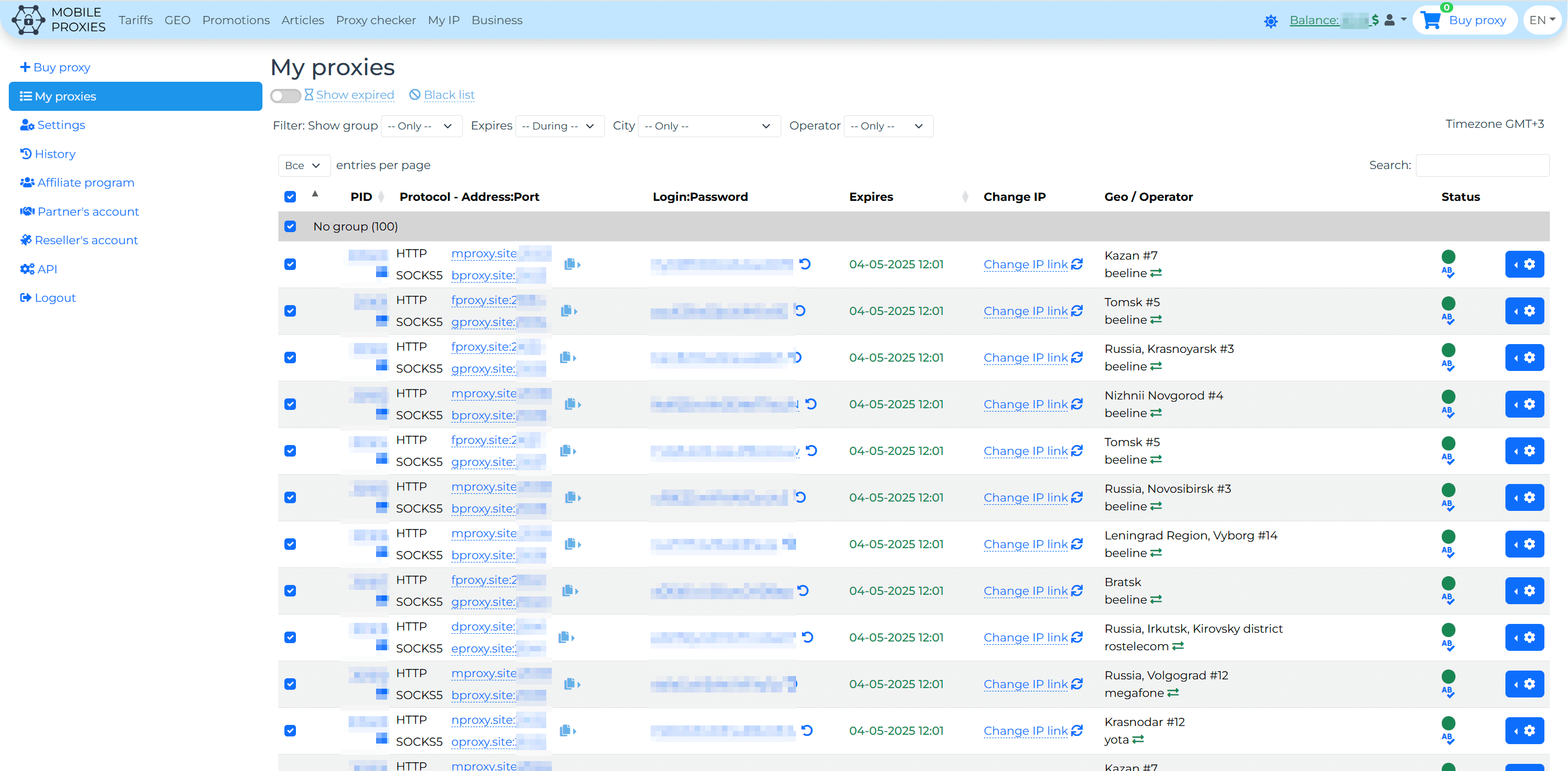
What does the personal account of mobile proxies look like from the inside?

User-friendly interface with powerful features

How to make money on mobile proxies?

Do you want to earn income by renting out mobile proxies? Then we have found each other!
You can install a mobile farm at home or in your office, connect it to our site and earn money.

You don't have any equipment yet

Then you can assemble everything you need according to our detailed instructions.

The payback period of the Farm depends on the number of ports and varies from 3 to 5 months.

Equipment the size of a system unit, installed at your location with a signal availability zone of cellular operators.

You already have a mobile farm

Then welcome aboard today, write to us and we will set everything up and connect you within 24 hours!

And tomorrow your capacities will start to generate profit

Check if your equipment stated in the article Mobile proxy farm

And the best part is, you won't have to deal with sales and support, just make a profit!

Who will benefit from mobile proxies?

Solutions for any digital marketing tasks

SMM Specialists

Manage several corporate social accounts more efficiently — each profile on its own mobile IP for stable, uninterrupted access.

Ad analytics

Ad analytics and testing: manage campaigns and check how your creatives render and perform across regions.

Agencies and teams

Shared proxy access for a whole team: one pool, managed access and transparent usage accounting across client accounts.

Marketers

Mobile proxies will become an indispensable analytics tool for marketers and will significantly expand and enhance your work arsenal!

Parsers

Take the automatic data extraction from websites to the next level. Get access to sites from reliable IPs from different locations worldwide.

Testers

During software development, there is often a need to test web application functionality for users from different countries and time zones.

Sign-up testing

Verify how registration and login in your own product behave across geos and mobile carriers.

Specialized software

Use specialized software and automation programs with mobile proxies for Avito!

PPC Marketers

Check and test how your contextual advertising works with mobile proxies! You can see your ads as a potential buyer would.

Benefits of mobile proxies

We have a large mobile proxy database that is instantly updated and available only to our clients. All provided proxies are reliable, meaning they are not detected as proxies, while the IP address belongs to the user. When you purchase our mobile proxies, you can be sure that all our proxies are exclusive and have no limitations! We have no emulation or virtualization of mobile proxies. You can be confident that you are working with real mobile proxies from GSM operators!

Private proxies

We provide completely private mobile proxies. The channel is yours alone!

100% mobile IP

All our IPs are provided by GSM operators. We never simulate GSM channels.

HTTP / SOCKS 5

We only support current protocols for mobile proxies.

IP and login/password

You can configure IP address authentication, in addition to using login and password.

Frequently Asked Questions

Answers to the most popular pre-sale questions

The choice between backconnect and a regular mobile proxy depends on the task type.

Backconnect is suitable for:

  • Mass parsing in scripts (Python, Node.js, Selenium with a pipeline)
  • High IP rotation (each request — new IP)
  • Working with public APIs
  • Data parsing that doesn't require sessions
  • 5 parallel threads with different IPs

Backconnect is NOT suitable for:

  • ❌ Browser-based work (opening sites as a user)
  • ❌ Authentication on websites (cookies/session conflict with different IPs)
  • ❌ Antidetect browsers (require stable IP within a session)
  • ❌ Ad accounts, marketplaces, social networks
  • ❌ SEO work in seller cabinet

Regular mobile proxy is suitable for:

  • Working in antidetect browsers (stable IP within session)
  • Authentication in personal accounts
  • Traffic arbitrage and ad accounts
  • Social networks, messengers (Telegram, Instagram, Facebook)
  • Marketplaces (Wildberries, Ozon, Avito)
  • Any tasks where a stable session matters

Simple selection criterion:

  • If your software opens a site in a browser → you need a mobile proxy
  • If your software makes API requests or mass data collection → backconnect fits

For testing, get a free trial — 3 hours on a mobile proxy, or a short backconnect trial by request to support.

Backconnect proxies are built on mobile ports: each request goes out with a new IP address, which means your traffic is routed through a different device. Read more in the complete guide to backconnect proxies.

What you need to keep in mind:

  • up to 5 simultaneous connections per port;
  • currently available only for Russia;
  • there is no manual IP change or GEO selection — rotation happens automatically on every request;
  • additional account tools designed for mobile ports do not apply to backconnect.

The main thing to remember when switching to backconnect is that each next request goes out from a different address, so scenarios that require a single session will not work.

What tasks backconnect is not suitable for. The address behind the entry point changes with every request, so anything that depends on a session will break:

  • work with authentication and long sessions — a change of address will log you out of the account;
  • services that bind a session to an address, including ad accounts and payments;
  • shopping carts and multi-step forms where state is stored in the session.

For these tasks, use a regular mobile port with IP change via link: the address stays the same until you change it yourself.

The ERR_TUNNEL_CONNECTION_FAILED error when connecting means the tunnel to the entry point was not established. Usually this is caused by an incorrect port, a mismatched protocol (HTTP instead of SOCKS5), or connecting from an address that has not been added to the allowlist.

1) Subscribe to our Telegram channel t.me/+8r32LGD0nGJhMmIy

2) Send any message to the bot @mps_articles_bot

3) Enter the number you receive on /user.html?free and click "Get a free mobile proxy".

As a thank-you for trying — a 20% discount coupon for your first purchase will be sent to your email after the trial ends.

"Multi-account" error: if you see "We do not like multiaccounting" — the system detected signs of repeat registration. This can happen even on first registration with VPN enabled or on public Wi-Fi. Disable VPN and try again, or contact support.

Repeat trial: the free trial is issued once per account. To test another GEO, contact support.

Trial limits: equipment change up to 5 times. Otherwise — a full proxy for 2-3 hours.

We don't have a separate "Sticky Session" plan, but similar behavior can be achieved:

Method 1 — IP fixation on mobile proxy:

  1. In proxy settings, set rotation timer = 0 (disable timer-based auto-change)
  2. In auto-change equipment settings, choose "Disabled"
  3. Now the IP will only change when you manually click the rotation link or make an API request

Important: even with these settings, the mobile operator may periodically change the IP address (this is a feature of mobile networks — usually several times a day). Guaranteeing IP fixation for 24 hours is technically impossible for mobile proxies.

Method 2 — server proxies:

For tasks requiring a guaranteed static IP (banking, long sessions in business services) — use server proxies. Their IP doesn't change at all.

Method 3 — backconnect:

The opposite — every request through backconnect = a new IP. For tasks requiring maximum rotation.

Yes, there are several ways to change the IP:

1. By link (manual) — after ordering, the system issues a unique link. Each click on it triggers an IP change. The link is in "My Proxies" in the "Change IP" column.

2. By timer (automatic) — set an interval from 2 minutes to 1440 minutes (1 day). The IP will change automatically at the specified frequency.

3. Via API — GET request to changeip.mobileproxy.space/?proxy_key={key}&format=json. See "How to change IP via API" article for details.

Important:

  • Minimum 30 seconds between IP changes on one proxy
  • Average IP change time — about 5 seconds
  • Sometimes the operator may issue the same IP — this is a feature of mobile networks, try again

For our mobile proxies we use 3G and 4G mobile networks. If you use a mobile proxy while being, for example, in the USA, while the mobile proxy is from a Russian operator — the speed in this case will depend on the channel between you and the proxy. Average speed on mobile networks ranges from 3 to 30+ Mbps.

Each mobile proxy supports up to 250 simultaneous connections.

What this means:

  • You can use the same proxy (host:port:login:password) in multiple programs, scripts, or antidetect profiles simultaneously
  • All connections will go through the same IP at any given time
  • 250 is the limit per single proxy — you can have many proxies on your account

Practical recommendations:

  • With very high parallel requests, the speed will be divided between connections
  • For parsing in many threads, consider backconnect proxies (up to 5 simultaneous connections with different IPs)
  • Optimal thread count is found experimentally — depends on your software and target site

“Rotation (per request)” is a special operating mode for backconnect proxies, where each HTTP request goes through a new IP address. This is not a setting for a regular mobile proxy.

How it works for different proxy types:

Regular mobile proxy:

  • The IP changes only when you switch it manually (via a link) or automatically on a timer (at least 2 minutes between changes)
  • It is technically impossible to change the IP “for every request”

Backconnect proxy:

  • Each request automatically goes through a new IP
  • Up to 5 parallel connections with different IPs at the same time
  • Perfect for parsing and bulk tasks
  • Russia only at the moment

When to use which:

TaskProxy type
Parsing in scripts, bulk data collectionBackconnect
Browser work / browser with profile isolationRegular mobile
Logging into an account dashboardRegular mobile (timer = 0)
High IP rotationBackconnect
Stable sessionRegular mobile

How to buy backconnect:

On the purchase page, select the “Backconnect proxy” type. More details: backconnect proxy guide.

How anti-fraud systems see this kind of rotation. Changing the address on every request is a noticeable signal, and for most protection systems it looks suspicious. The logic is simple: a real person does not switch networks between two clicks. If, within one session, with the same cookies and the same browser fingerprint, the address jumps across different subnets, it is read as automation.

Where this kind of rotation works well: collecting data from public pages without authorization and any tasks where each request is independent and no session is needed.

Where it does harm: any login, ad accounts, payments, carts, and multi-step forms. There, the state is tied to the session, and changing the address in the middle of the process almost always leads to being logged out or to an additional verification step.

Practical rule: tie rotation to a unit of work, not to a request. One account or one session — one address until it ends. For this, use IP switching via a link at the moment the session is over, rather than rotation on a short timer.

For developers

Connect in one line

Use mobile proxies in Python, Node.js, PHP or right from the terminal. Full API in your dashboard.

# HTTP request through the proxy
curl -x http://login:pass@mproxy.site:11200 https://ifconfig.me/ip
# Rotate IP via API (changeip.mobileproxy.space)
curl "https://changeip.mobileproxy.space/?proxy_key=YOUR_KEY&format=json"
Mobile proxies for AI

AI agents and LLM-driven automation

Give your Claude, GPT and Gemini agents real mobile IPs for reliable, geo-accurate access to public web data — stable even for browser-use agents in production.

AI scrapers and parsing

Run LLM pipelines on Claude/GPT/Gemini over real mobile IPs for reliable, large-scale open-data collection — up to 250 concurrent connections per port.

Claude GPT Gemini

Browser-use agents

Anthropic Computer Use, OpenAI Operator, Manus and open-source browser-use agents get real mobile IPs for consistent, natural sessions.

Computer Use Operator browser-use
LIVE

MCP server for Claude Code

Give Claude Code, Cursor and other MCP clients direct control over your proxies: IP rotation, country switch, checker, history — all available to the agent as tools.

MCP Claude Code Cursor
Connect mobileproxy to Claude Code in one command
# Install the MCP serverclaude mcp add mobileproxy \
 --command "npx -y @mobileproxy/mcp-server" \
 --env MOBILEPROXY_API_KEY=your_api_key
# Then ask Claude directly> change my proxy IP and verify the new one via ifconfig.me

Geography of mobile proxy presence

Our proxies are available worldwide

Mobile Server Residential Backconnect
53
Countries
1 334
Servers
261M
IP addresses
99.9%
Network uptime

Why is it worth buying mobile proxies
from us

Our numbers — our achievements and capabilities

> 260 996 000
IP addresses recorded
in cellular networks
> 2 700
regular customers
who trust us
> 7 553 000
times equipment changed
53
countries presence
258
cities
1 334
servers from USA to Australia
> 45 000
devices added to the system
223
mobile operators
24/7/365
We are online
2 108 000
times changed IP address
in the last 24 hours

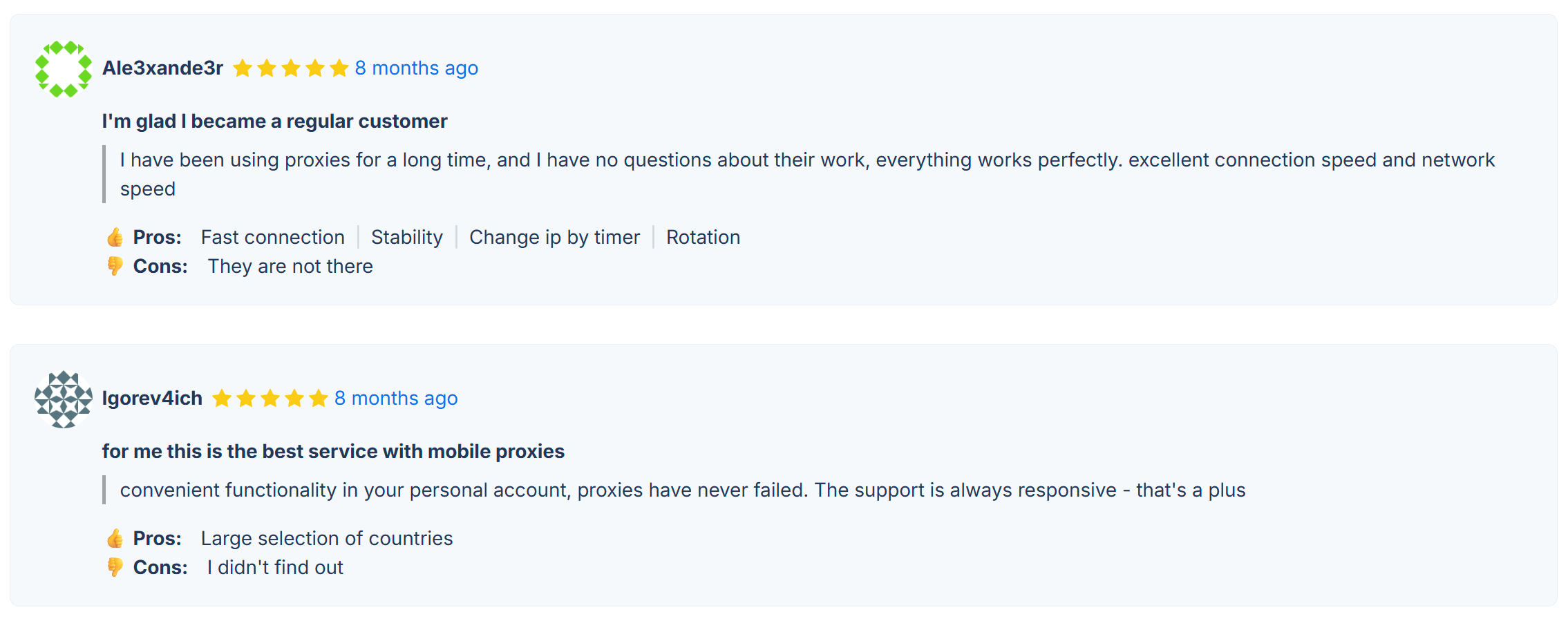
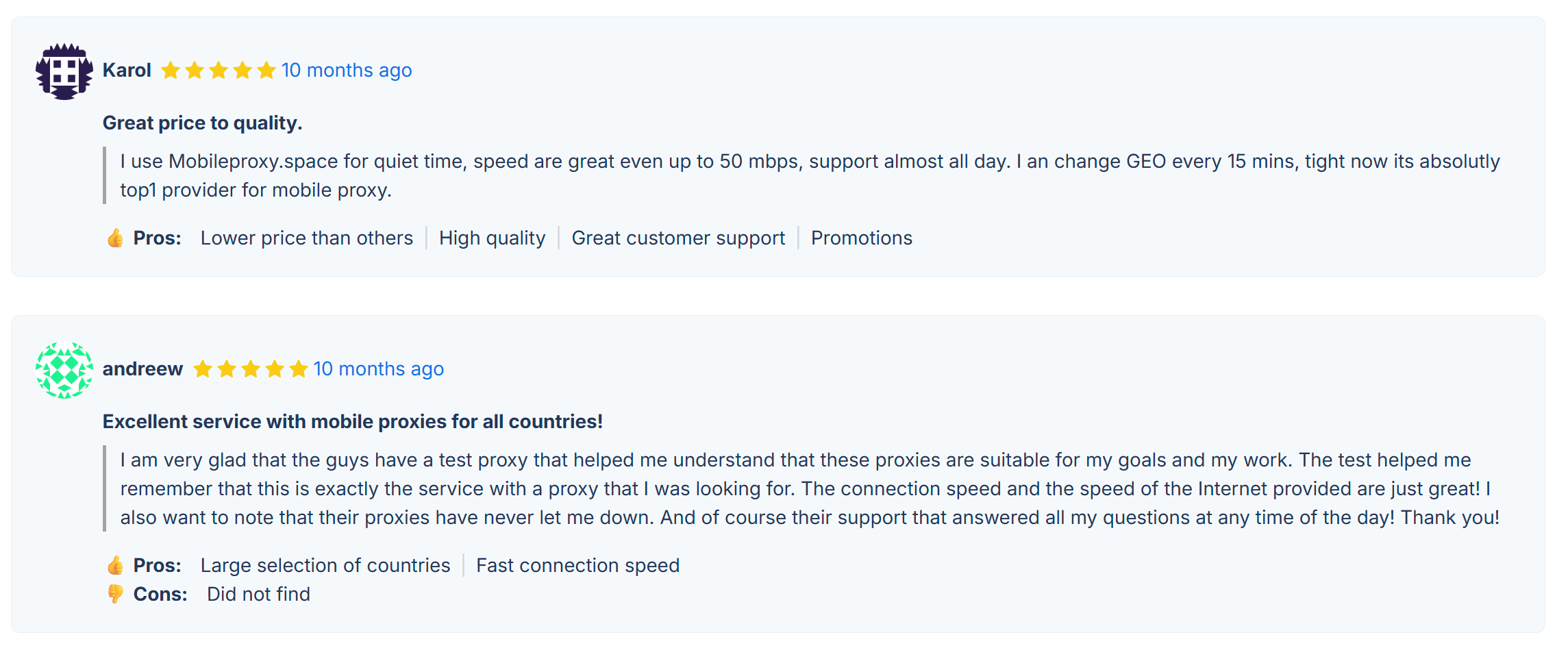
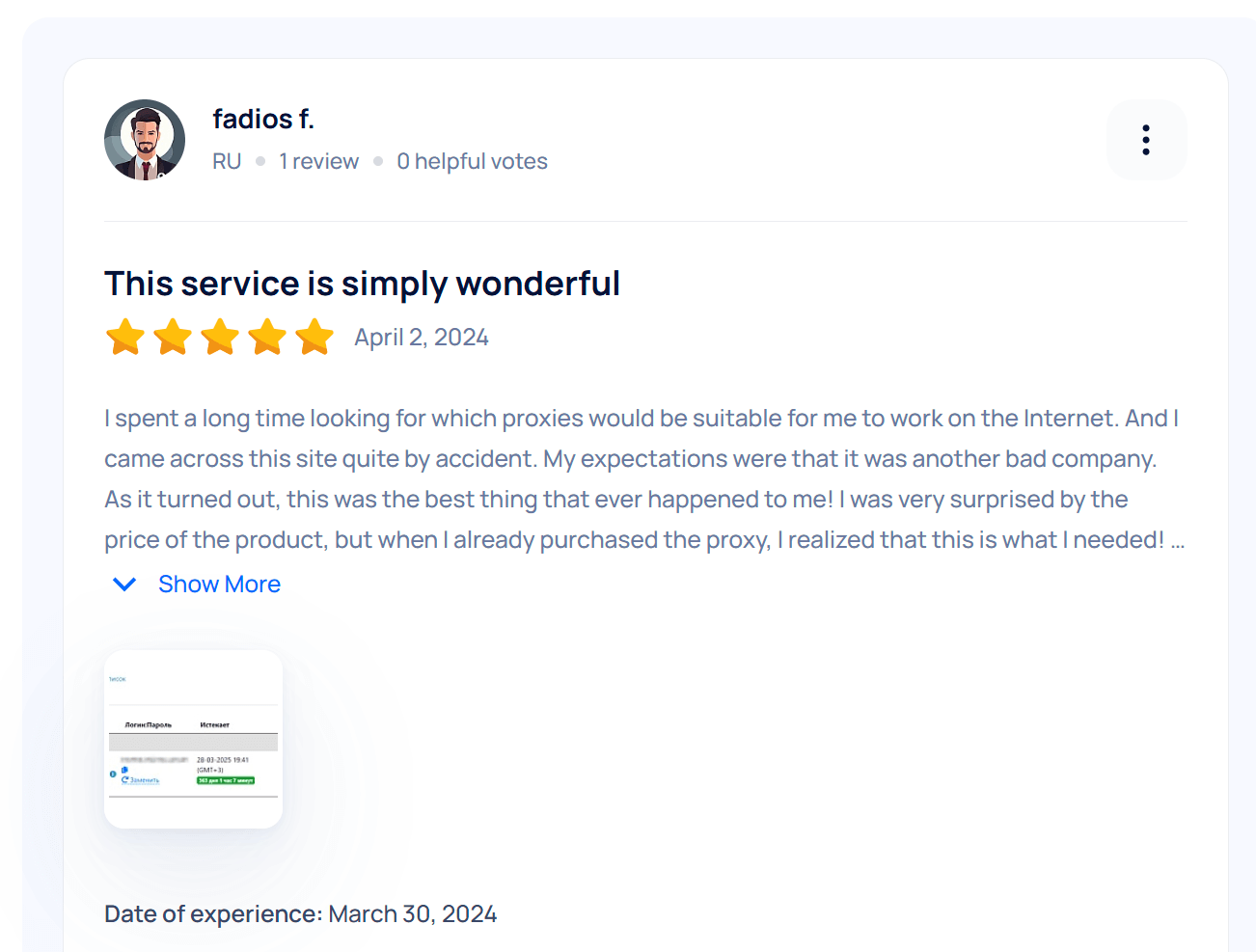
Reviews of mobile proxies

Real reviews from our customers

4.9
Based on customer reviews

Useful articles about mobile proxies

Useful materials and current news

Mobile proxies in Bulgaria, Sofia #16

Mobile proxies in Bulgaria, Sofia #16

New location in our mobile proxy pool — Bulgaria, Sofia #16. Use real mobile device IPs from this region for open-data collection, analytics...

Functions of the personal account of mobile proxies

All tools for effective proxy work

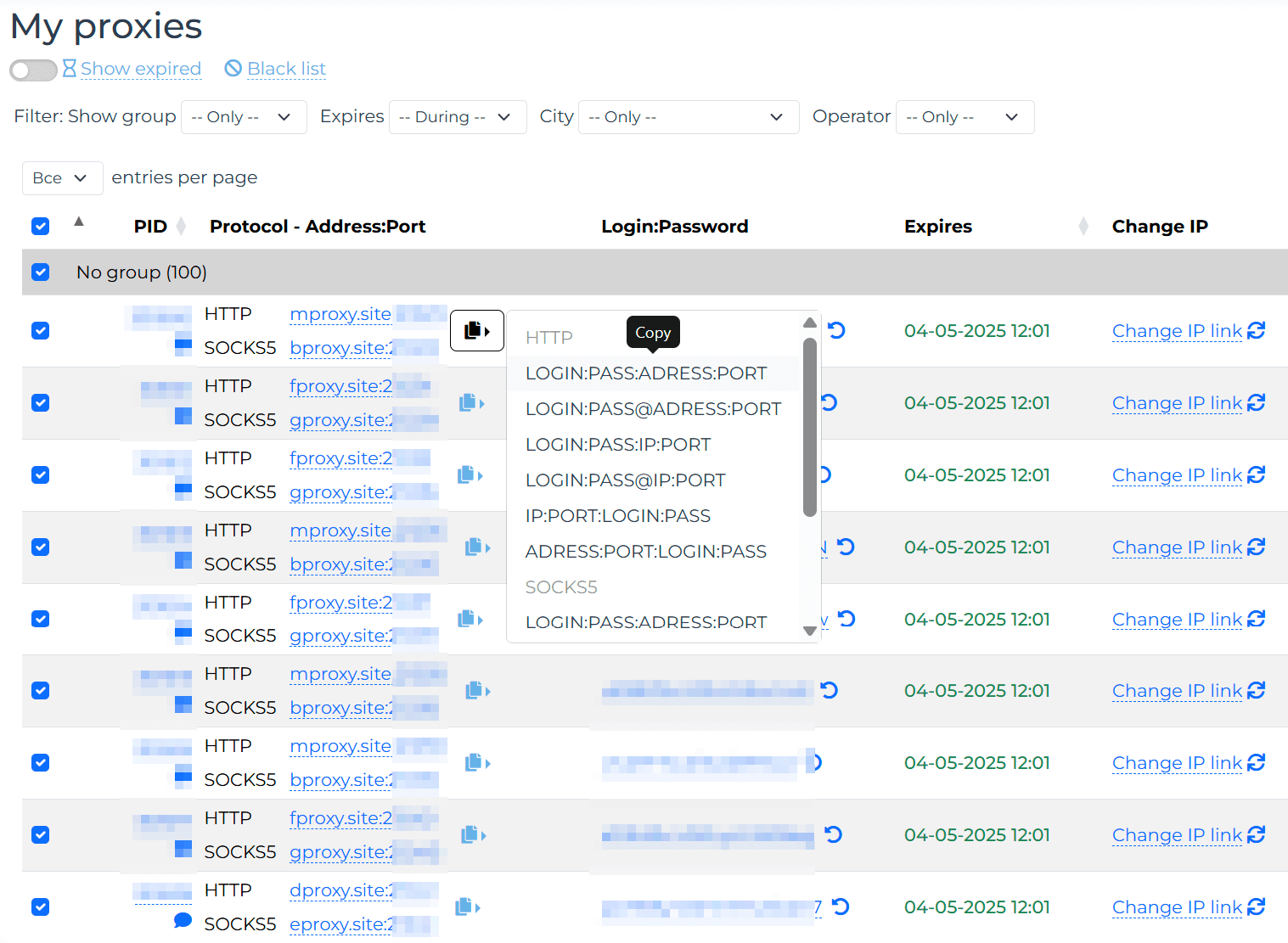
Tabular view

All your proxies are presented in a convenient table

Proxy details

Access to details with the ability to copy directly from the table

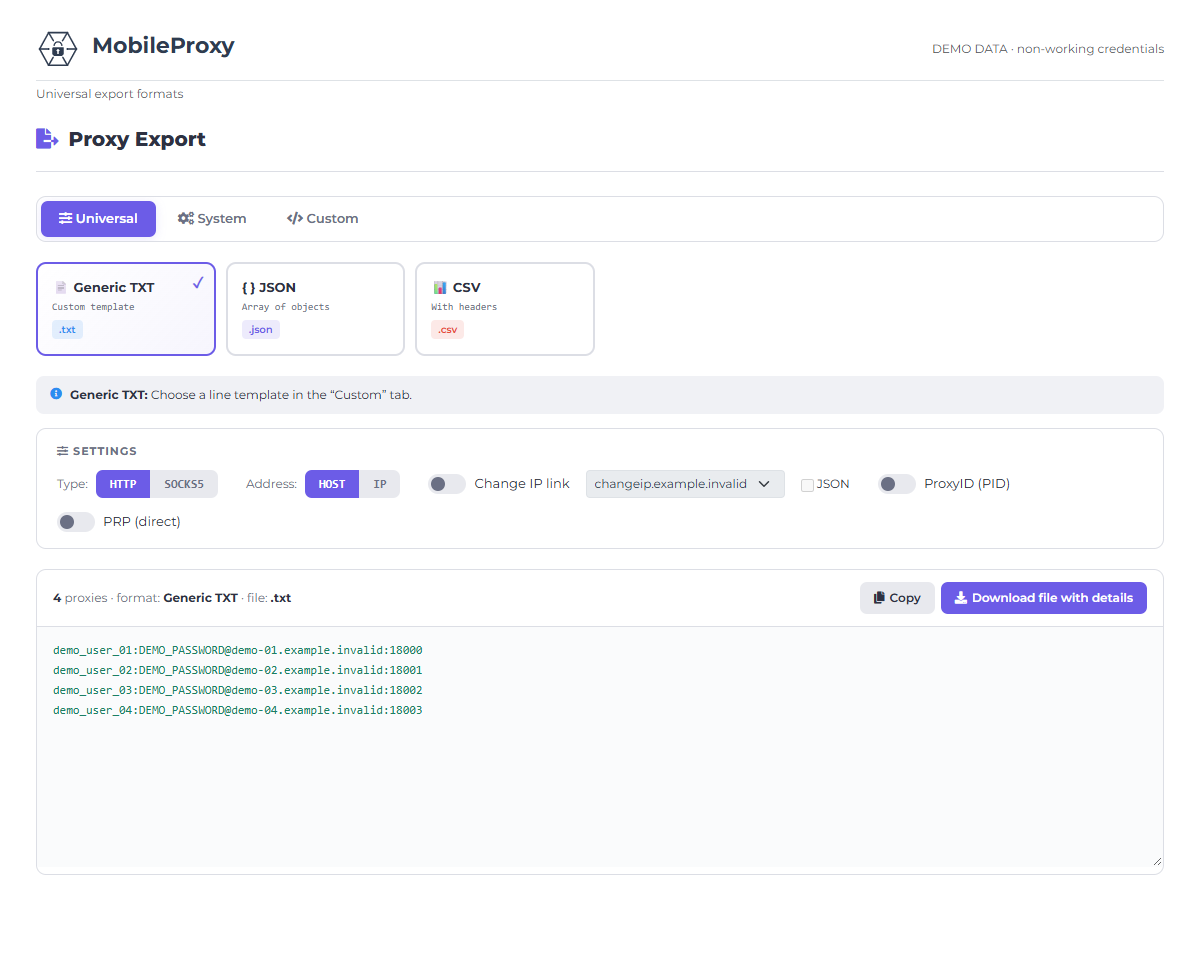
Any format

Copying details in the most common formats

Changing details

Ability to change the login and password for your proxies

Tracking deadlines

Convenient tracking of proxy lease expiration dates and countdown

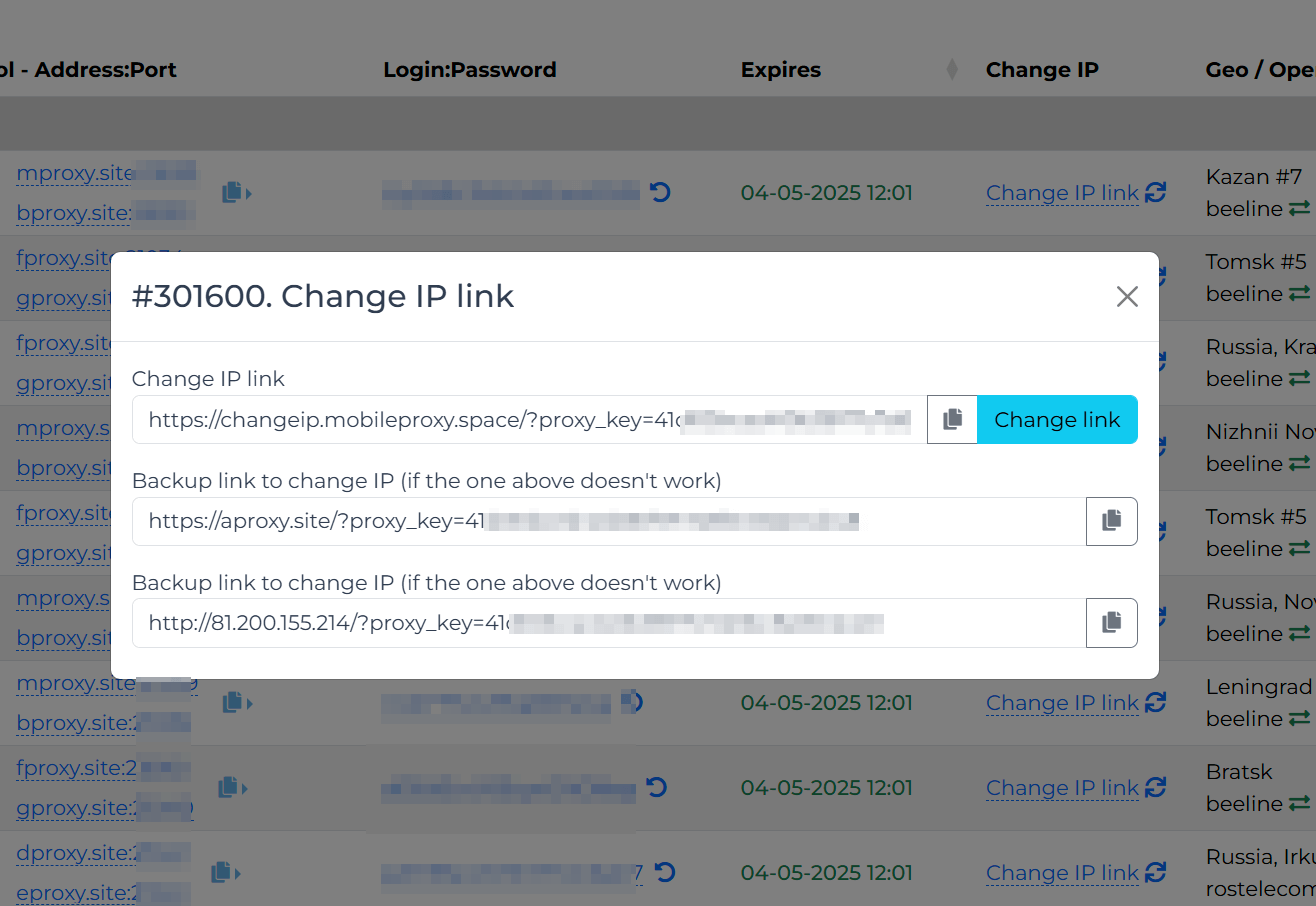
IP change

Link for changing IP in HTML and JSON format directly from the cabinet

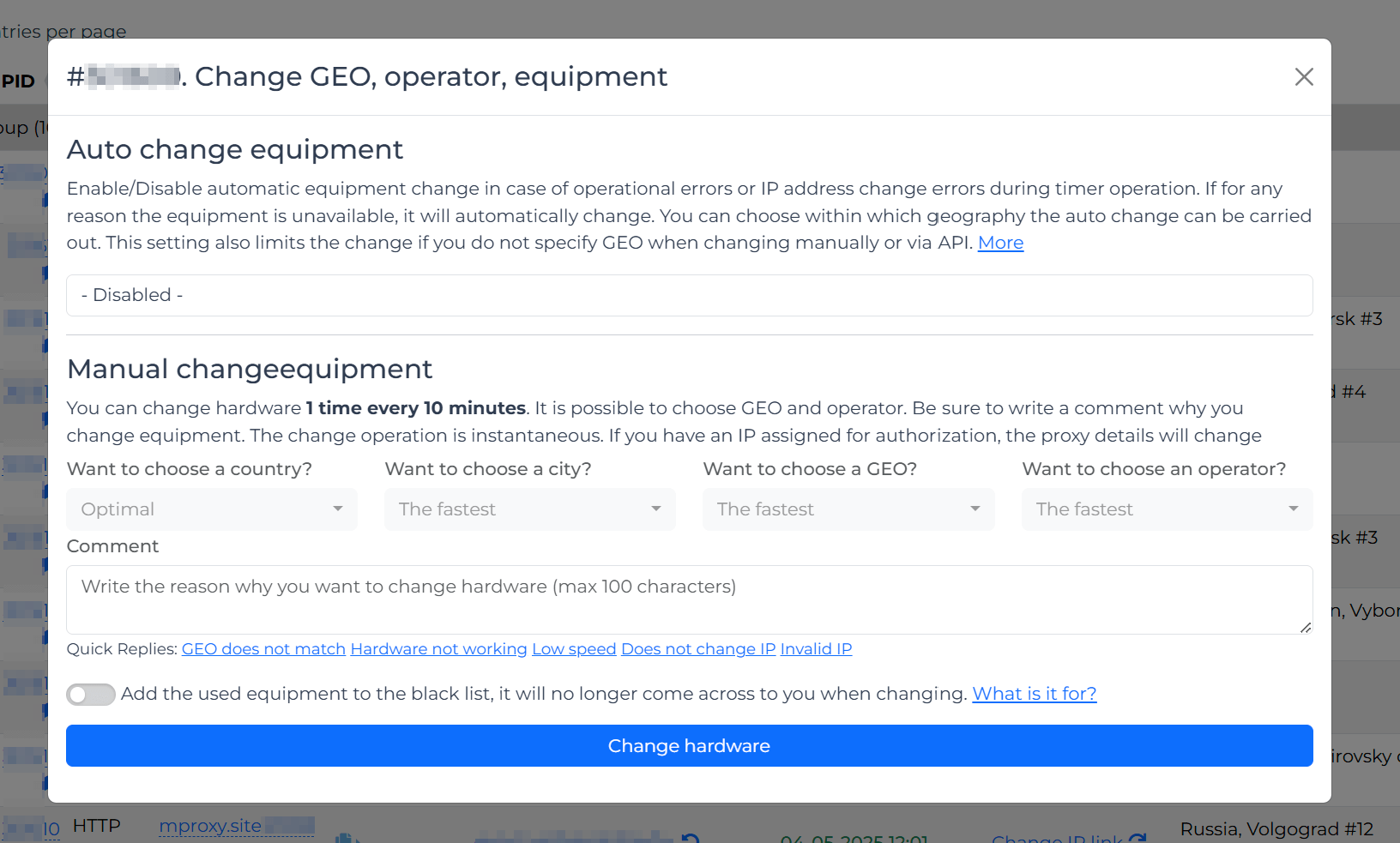
Geo and operator

Server name and mobile operator with quick access to change directly from the table

Checking the work

Quick access to the proxy checker to find out the current IP address

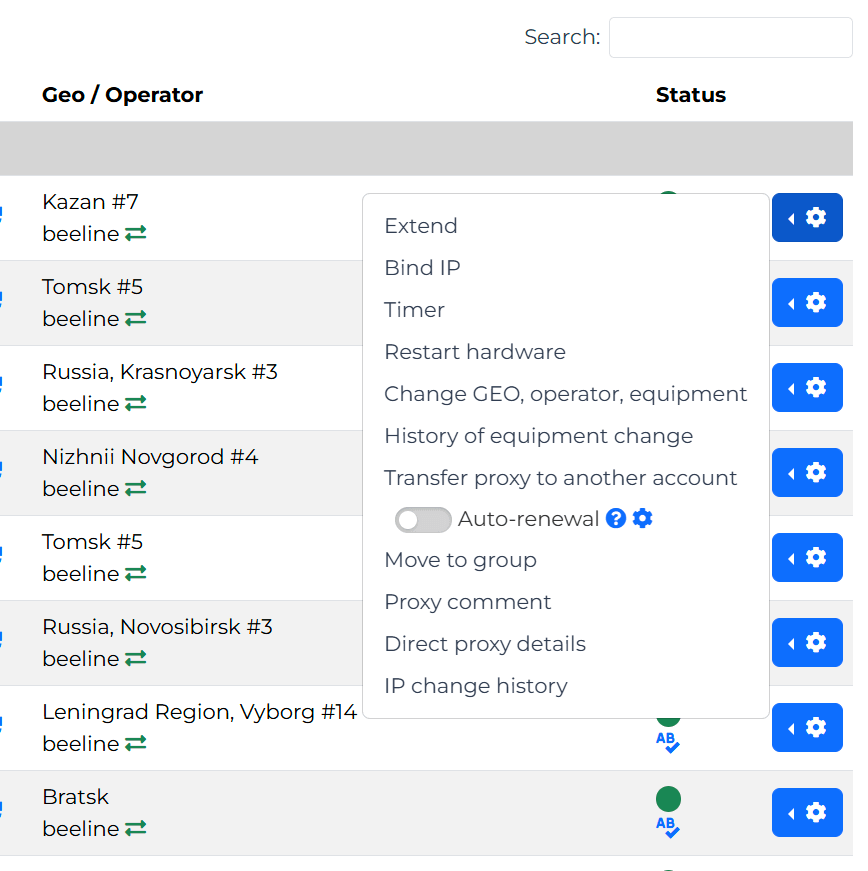
Context menu

Renewal, IP binding, Timer, Equipment reboot, Equipment and IP change history

Comments and grouping

Group your proxies and specify comments for each for ease of management

Group actions

Any function can be applied to any number of proxies

Download to TXT

Ability to download a proxy list in any format, supplementing it with a protocol, a link for changing
Last step

Ready to try?

3 hours trial without card. 30 seconds and you have a working mobile proxy with a real SIM card.

USDT
GDPR Compliant DPA Available 256-bit TLS 99.9% Uptime SLA
4.9/5
Rating
99.9%
Network uptime
261M
IP addresses
2-7 sec
IP change