Browser Fingerprinting in 2026: TraceOff Suite Review and Real-World Playbooks
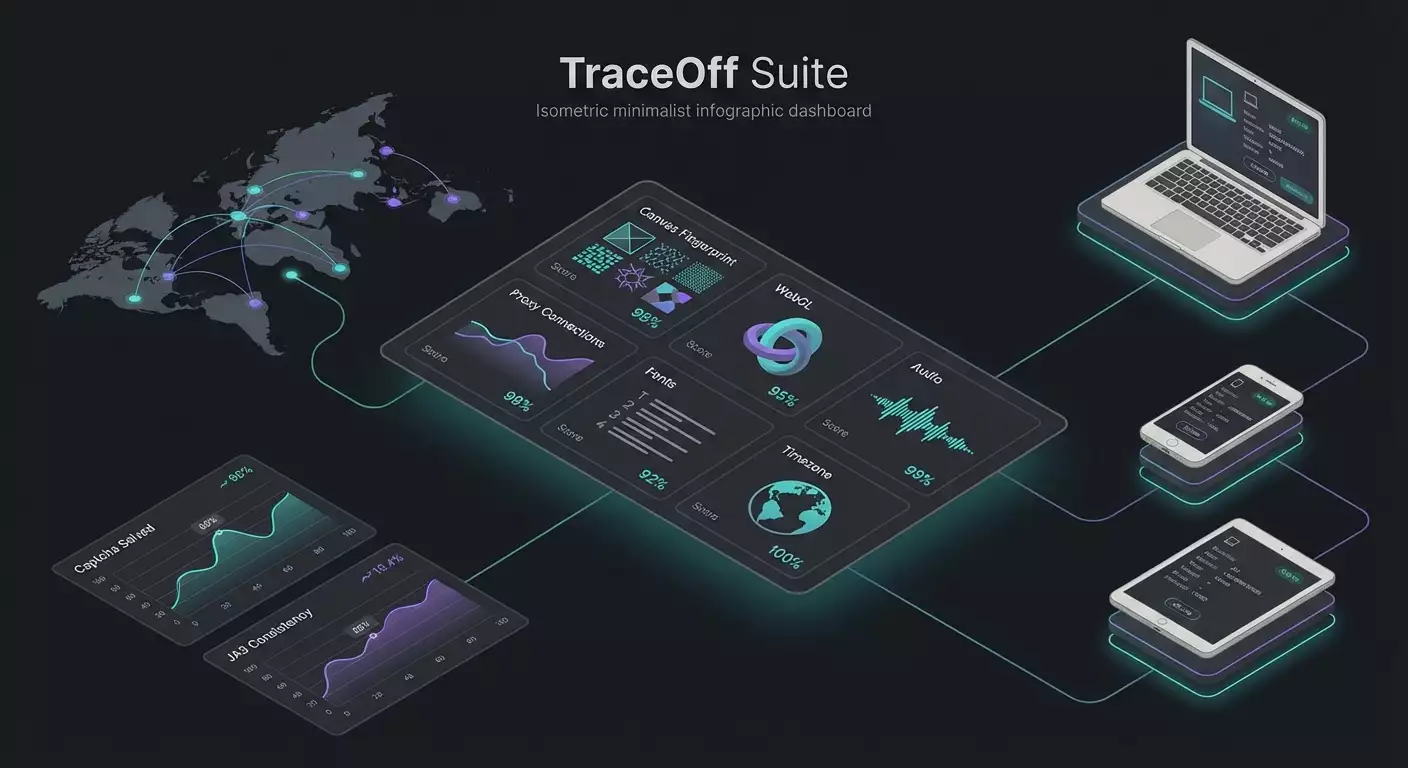
Table of contents
- Introduction: why browser fingerprinting control matters in 2026
- Product overview: key features and advantages of traceoff suite
- Scenario 1. leak audits and privacy policy alignment
- Scenario 2. multi‑regional ux and pricing tests
- Scenario 3. ad verification and antifraud model checks
- Scenario 4. antibot testing and load modeling (with permission)
- Scenario 5. market research and competitive analysis without personalization
- Scenario 6. qa: reproducing bugs and regression in real environments
- Scenario 7. supporting remote teams and safe access to partner portals
- Why proxies alone are not enough: limits and blind spots
- How it compares to alternatives
- Faq: practical questions
- Conclusions: who traceoff suite is for and how to get started
Introduction: why browser fingerprinting control matters in 2026
By 2026, browser fingerprinting has become a standardized identification toolkit. Even as cookies fade, sites still recognize us through hundreds of signals: Canvas and WebGL, AudioContext, font sets, timezone and locale, WebRTC and media devices, Client Hints and User-Agent reduction, HTTP header order and TLS version, JA3 and JA4, timer behavior, screen metrics, sensor patterns, battery and power-saving modes. Combined, these signals form resilient fingerprints that link sessions. On the upside, they help fight fraud. On the downside, they make it hard for honest researchers, QA teams, and privacy engineers to test services without personalization bias or skewed data. That’s why businesses need a safe, lawful way to manage fingerprints for testing, ad verification, multi‑region UX, leak audits, and analytics. In this review, we look at TraceOff Suite—a comprehensive platform for controlling browser fingerprints that blends low‑level signal management, proxy orchestration, auditing, antibot compatibility modes, and automation APIs. Most importantly, we’ll dive into hands‑on use: who it’s for, how to use it, what results to expect, and where proxies hit their limits if you don’t manage the fingerprint.
Product overview: key features and advantages of TraceOff Suite
TraceOff Suite is a service for ethical, lawful control of browser identification. It doesn’t promise magic, and it doesn’t “break” antibots. It gives you transparent tools, clear reports, and compatibility modes so you can reproduce genuine user context for testing, auditing, and research.
Core modules
- Fingerprint Audit: scans your current browser and network configuration. Covers Canvas/WebGL, AudioContext and OfflineAudioContext, WebRTC, media devices, Client Hints, UA Reduction, fonts, plugin list, languages, timeZone, hardwareConcurrency, deviceMemory, timers, Storage, cookie isolation, Local/Session/IndexedDB, TLS fingerprints (JA3, JA4), HTTP/2/3 header order, DNS and WebDNS, IP/ASN/geo, WebDriver presence, and automation traces.
- Profiles and masking engines: create desktop and mobile device profiles while controlling Canvas/WebGL rendering (seed, noise, GPU type), audio signatures (additional noise, sample rate), font lists (subsets and variable fonts), timeZone/Locale, media devices (availability emulation), WebRTC (local and public IPs), Client Hints (Sec-CH-UA-*), User-Agent (including UA Reduction with engine consistency), screen size, DPR, color gamut, HDR support, battery, sensors, navigation timings. Built‑in compatibility modes align with popular antibot providers.
- Proxy Orchestrator: connect and rotate residential, mobile, datacenter, and ISP proxies. Check ASN reputation, location, speed, and TCP/TLS stability. Bind specific proxies to profiles; rotate on events (errors, CAPTCHAs, geo flags).
- TLS Fingerprint Control: profile JA3/JA4, TLS version, cipher suites, extension order, and ALPN. Customizable presets for realistic “browser + OS + network” combinations.
- Cookie & Storage Isolation: separate storage per profile with import/export to reproduce testing sessions and regressions.
- API & automation: REST and local SDK. Manage profiles, proxies, audits, scenario runs, and telemetry collection. Headful and headless modes with WebDriver trace suppression.
- Teamwork & trail logs: workspaces, roles, activity logs, plus a project-level “heat map” of detections so you can see where your environment “lights up.”
- “Privacy Sandbox aware” mode: correct handling of Topics API, Protected Audience, and Attribution Reporting. No attempts to “break the sandbox”—just predictable testing scenarios.
Advantages
- Holistic approach: proxies alone don’t fix the problem. TraceOff manages network, fingerprint, storage, and timings together.
- Verifiability: every profile can be audited. You see exactly what a site “sees” and why.
- Compatibility: presets based on real device combos. Fewer conflicts, fewer anomalies.
- Ethical and lawful: built for production‑grade testing, research, and auditing. Not intended for unlawful activity.
- Cost‑effective: fewer false antibot triggers in tests and research—less time wasted by teams.
Scenario 1. Leak audits and privacy policy alignment
Who it’s for and why
For DPOs, Security, and Privacy engineers who need to know which signals actually leave your environment when employees or test robots visit external sites. The goal: identify high‑entropy elements and adjust them per company policy.
How to use it
- Create a “Privacy Audit” project and add target domains.
- Run the Fingerprint Audit on a “clean” unmodified profile—this is your baseline leakage level.
- Enable the “Corporate Standard” preset (fixed timeZone/Locale, constrained fonts, WebRTC disabled, curated Client Hints).
- Run the audit again on the same domains. Compare reports: count unique signals and fingerprint predictability.
- Configure Proxy Orchestrator to use your corporate egress (whitelisted ASN, stable TLS, a fixed IP pool).
- Record results, save the profile, and roll it out to test machines.
Example results
At a large fintech, the audit found 17 unique signals that increased the chance of linking internal test sessions with production users. After enabling the preset and standardizing Client Hints, high‑entropy signals dropped by 41 percent and WebRTC “anomalies” fell to zero. The security team received reproducible profiles and reduced context‑leak risk during tests.
Tips and best practices
- Consistency first: if you change the UA, make sure CH‑UA, plugins, canvas, and font list match the OS and browser version.
- Avoid “dramatic” randomization: it’s often more suspicious than a rare but coherent profile.
- Fix time: for regression, use consistent NTP settings and a fixed timezone preset.
Scenario 2. Multi‑regional UX and pricing tests
Who it’s for and why
For product, marketing, and pricing parity analysts. The goal: see how a site renders and prices for users across countries, ISPs, and devices—without personalization residue.
Step‑by‑step
- Create an “EMEA Test” profile group with device presets: two desktops and two smartphones.
- In Proxy Orchestrator, pick residential proxies from six countries. Check ASN quality and speed.
- Enable “clean” storage and block account sync. Disable WebRTC leaks.
- For each profile, set country timeZone and Locale; adjust fonts (e.g., JP locale without Cyrillic families).
- Run a scripted crawl with DOM telemetry and screenshots.
- Collect results: prices, currencies, presence of personalized banners, and CAPTCHA rates.
Example results
A marketplace reviewed 12 regions. Before TraceOff, CAPTCHAs appeared on 18 percent of visits. After aligning fingerprint signals and selecting proper residential ASNs, CAPTCHAs dropped to 4 percent, while geo‑driven price differences became reproducible. This enabled clear parity rules and locale‑specific guidance.
Pro tips
- Don’t mix IP and fingerprint: if you switch geo, also switch locale/timezone/fonts.
- Watch TLS: sometimes the IP looks “mobile,” but TLS still looks “desktop.” Use device‑appropriate TLS presets.
- Warm start: enable profile “warming” (a few neutral visits) to reduce cold‑start anomalies.
Scenario 3. Ad Verification and antifraud model checks
Who it’s for and why
For ad ops, advertisers, and agencies that need to validate delivery, viewability, and traffic quality on authorized inventory. The goal: reproduce a normal user device across networks without fingerprint artifacts that skew results.
Step‑by‑step
- Create “Desktop Consumer” and “Mobile Consumer” profiles with typical GPU and audio configurations.
- Set Proxy Orchestrator to residential IPs from specific ISPs that match target segments.
- Enable “AdTech compatibility” mode: coherent Client Hints, Topics API allowed, honest performance metrics.
- Capture test paths, time on page, scroll, and viewability of ad slots.
- Compare Ad Verification reports to campaign metrics: discrepancies, viewability, CAPTCHA frequency.
Example results
An agency compared five publishers. With “raw” proxies, CAPTCHA rate was 22 percent, distorting verification. With TraceOff Suite, CAPTCHAs fell to 6 percent thanks to a consistent fingerprint and aligned CH‑UA. Valid impressions per independent tags rose by 14 percent. Budget was reallocated to three higher‑viewability sites.
Best practices
- Don’t mute every “noisy” signal: an overly sterile environment raises antifraud suspicion.
- Conservative proxy rotation: rotate IP at session end, not every few requests.
- Synchronize timings: realistic network and rendering delays build model trust.
Scenario 4. Antibot testing and load modeling (with permission)
Who it’s for and why
For security and SRE teams running legitimate tests of their own defenses. The goal: simulate typical user profiles and “moderately noisy” automation profiles to measure rule resilience and CAPTCHA pressure.
How to use it
- Agree on the test window and IP ranges with system owners. Define goals, metrics, and limits.
- Prepare “honest” (user‑like) profiles and “semi‑automated” ones (subtle WebDriver traces, adjusted timers) for a control group.
- Set up three proxy pools: residential, mobile, and datacenter. Assign scenarios accordingly.
- Track metrics: CAPTCHA frequency, session denials, average response time, impact of TLS profiles.
- Run step‑wise load, increase intensity, and analyze rule responses.
Example results
In an e‑commerce project, reordering HTTP/2 headers and CH‑UA mismatches increased CAPTCHA probability by 37 percent in the semi‑automated group. After tuning presets and aligning CH‑UA, false positives on real users dropped by 11 percent. The security team got precise guidance to balance strictness and UX.
Advice
- Contrast groups: always compare a “realistic” profile with a deliberately “automated” one.
- TLS matters: JA3/JA4 are frequent implicit triggers. Use native presets.
- Log without personal data: filter events before collectors to preserve privacy.
Scenario 5. Market research and competitive analysis without personalization
Who it’s for and why
For analysts and product teams collecting public data on features, prices, and promos. The goal: minimize personalization and blocks to see what real segments see.
Step‑by‑step
- Build “new user” profiles: empty storage, consistent CH‑UA, realistic font sets.
- Bind residential proxies from cities within your target audience.
- Set visit cadence and scroll pauses to mimic human behavior.
- Use the “DOM snapshots” module and layout diffs to detect A/B variants.
- Record prices, shipping, and payment options within a single time window.
Example
The product team analyzed eight competitors. With a standard browser, they kept seeing returning‑user promos and discounts. With TraceOff’s “new profiles” and proper proxies, they got a clean storefront without personalized deals. Price deltas on three SKUs reached 12 percent, informing a revamped promo strategy.
Pro tips
- Discovery windows: run short, regular measurements. Long sessions raise personalization risk.
- Go easy on mobile profiles: some sites scrutinize mobile WebGL/Audio signals aggressively.
Scenario 6. QA: reproducing bugs and regression in real environments
Who it’s for and why
For QA engineers and developers. The goal: reproduce issues that affect only certain users in specific countries, ISPs, or devices—and lock them into a repeatable environment.
Step‑by‑step
- Import telemetry from the problematic session: OS, browser, viewport, DPR, geo, and network.
- Create a TraceOff profile to match that environment: UA, CH‑UA, fonts, WebGL, Audio, timezone.
- Pick a proxy with the required ASN and latency; apply the right TLS preset.
- Import cookies or recreate the path to the bug via a script.
- Enable HAR capture, screencast, and rendering trace.
Example
A mobile user in Spain saw a white screen on the payment page. QA reproduced it: profiling showed a rendering pipeline conflict on a low‑end GPU combined with power‑saving thresholds. After the fix, the anomaly disappeared. Time to reproduce dropped by 60 percent thanks to environment presets.
Recommendations
- Performance envelopes: simulate weak devices by lowering FPS and constraining timers.
- Consistent font base: font mismatches often cause layout drift and overflows.
Scenario 7. Supporting remote teams and safe access to partner portals
Who it’s for and why
For service and partner teams that must access external partner consoles from different regions—without mixing work and personal profiles.
How to use it
- Create client workspaces with separate profiles and isolated storage.
- Assign residential IPs in required countries and pin IPs to profiles.
- Freeze the fingerprint (Canvas/WebGL/Audio/Fonts) to minimize anomaly flags on repeat visits.
- Enable strict roles and activity logs. Export artifacts only via encrypted storage.
Case
An outsourced team cut time to access five partner consoles by 35 percent thanks to stable profiles and fewer repeat security checks. “Suspicious activity” alerts nearly vanished because fingerprint and network remained consistent.
Pro tips
- Don’t rotate IPs too often: partner systems value stability.
- Aligned locale: avoid mixing interface languages and date/time formats.
Why proxies alone are not enough: limits and blind spots
Proxies matter, but they don’t fix your fingerprint. Here’s where they fall short:
- WebGL and Canvas: hardware rendering reveals GPU and drivers. Proxies can’t change that.
- AudioContext: OS mixer and drivers leave a stable signature.
- Fonts: font families and metrics are strong signals. Proxies don’t affect them.
- Client Hints and UA Reduction: servers compare correlated fields; mismatches are easily flagged.
- WebRTC: local IPs and media devices leak without proper masking.
- TLS profile (JA3/JA4): cipher suites and extensions form a network fingerprint independent of IP.
- Header order and timer behavior: indirectly reveal automation libraries.
Bottom line: proxies are only one piece. You need synchronized network, browser, and device configuration. TraceOff Suite solves this end‑to‑end.
How it compares to alternatives
Proxy/VPN solutions
Pros: simple, cheap IP changes. Cons: don’t manage the fingerprint; many use “noisy” ASNs. TraceOff adds auditing and profiling—fewer blocks on the same IPs.
“Randomizer” plugins
Pros: quick start. Cons: incoherent randomization, conflicts with CH‑UA, break real‑world compatibility. TraceOff uses coherent presets and compatibility modes.
Pure headless
Pros: speed. Cons: visible automation traces. TraceOff supports headful mode and suppresses explicit WebDriver indicators while preserving realistic timings.
Home‑grown scripts
Pros: flexibility. Cons: high maintenance and breakage risk with browser and Privacy Sandbox updates. TraceOff ships updated presets and audits to track changes.
Generic anti‑detect browsers
Pros: lots of switches. Cons: often focused on evasion, not transparent auditing or enterprise compatibility. TraceOff focuses on lawful scenarios, teamwork, and verifiability.
FAQ: practical questions
1. Is this legal?
Yes—when used for lawful purposes: testing, auditing, research, quality, and security. Do not use for unlawful activity. Respect site terms and your jurisdiction’s laws.
2. Will a proxy alone help?
No. A proxy changes IP, not Canvas/WebGL/Audio, fonts, or TLS profile. You need a holistic approach.
3. How do I avoid over‑masking?
Choose coherent presets: OS, browser, CH‑UA, fonts, timezone, and GPU must align. Avoid “total” randomization.
4. What about the 2025–2026 Privacy Sandbox?
TraceOff accounts for the Topics API and UA reduction. You can reproduce scenarios with different signal levels while staying within sandbox rules.
5. Can I use headless?
Yes, but headful is usually more realistic. In headless, enable WebDriver trace suppression and align timings.
6. How do I read audit reports?
The service highlights signal entropy, script visibility, and mismatch risks. Compare before/after for each profile and adjust settings.
7. What are JA3/JA4 and why should I care?
They fingerprint the TLS handshake. A mismatch between the “visible” browser and TLS profile often raises suspicion. Use platform‑appropriate TLS presets.
8. How can teams work safely?
Separate workspaces, use roles and activity logs, pin profiles to tasks, and don’t mix storages.
9. Why am I seeing CAPTCHAs even with a residential proxy?
Likely CH‑UA, font, timezone, or TLS profile mismatches—or timer behavior. Run an audit and enable a compatibility mode.
10. Can I become completely “invisible”?
No. The goal isn’t to vanish—it’s to manage risk and test honestly and reproducibly. Transparency and consistency beat attempts at absolute stealth.
Conclusions: who TraceOff Suite is for and how to get started
TraceOff Suite is for teams that work with the real web and want predictable results without personalization bias or needless antibot friction. It’s a fit for:
- Product and marketing teams running multi‑regional research and pricing parity checks.
- Ad ops and agencies validating delivery and traffic quality.
- QA engineers reproducing bugs in specific environments.
- Security and SRE teams doing ethical load tests and tuning defenses.
- Privacy and DPO teams auditing leaks and standardizing corporate profiles.
How to start:
- Run an audit of your current environment to baseline leaks.
- Create 2–3 presets for your key platforms and regions.
- Connect Proxy Orchestrator and pick residential ASNs.
- Enable TLS presets and verify CH‑UA consistency.
- Define scenarios, add telemetry, and begin collecting reports.
And remember: a proxy is just an address. A consistent fingerprint builds trust. Trust is the quality of your data, tests, and decisions in 2026.