TLS Fingerprint Checker by mobileproxy.space: See Your Browser Through Anti-Bot Eyes
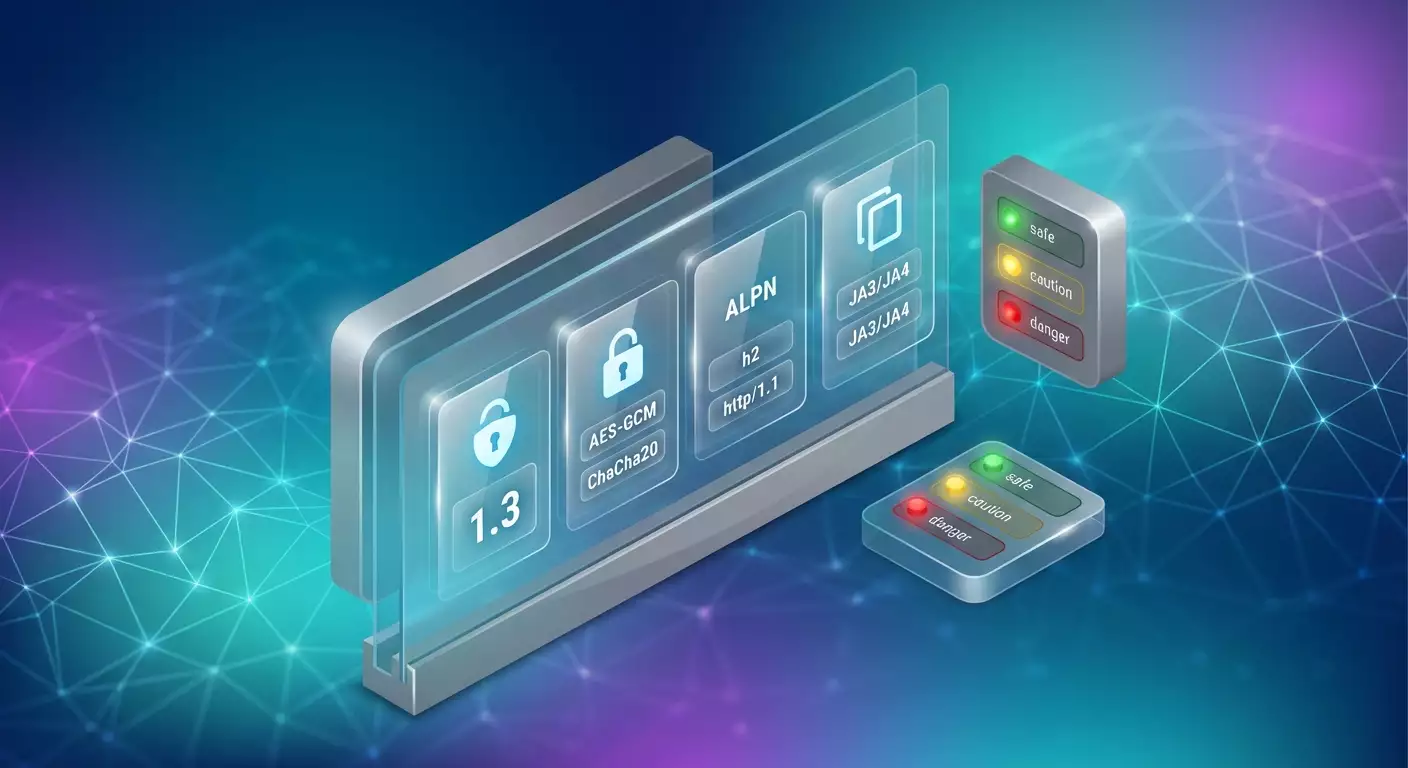
Table of contents
- Introduction: the problem this service addresses
- Service overview: key features and benefits
- Application 1: self-diagnosis for parser developers: why cloudflare blocks
- Application 2: seo and marketing: monitoring positions without extra blocks
- Application 3: qa and testing: regression control of tls profile in ci/cd
- Application 4: blue team and security: monitoring outgoing traffic and anomalies
- Application 5: sre and support: quick investigation of blocking incidents
- Application 6: choosing libraries and tools: how to decide on automation
- Application 7: evaluating proxy pools and partners: quality without surprises
- Comparison with alternatives: why this service is more convenient
- Faq: practical questions
- Conclusion: who it’s for and how to get started
Modern anti-bot systems have become smarter. They no longer rely solely on User-Agent headers or cookies. Major traffic protection platforms and CDNs, such as Cloudflare, Akamai, DataDome, and PerimeterX, increasingly use client TLS fingerprints to distinguish between humans and automation. As a result, even a well-crafted parser with the correct HTTP headers can be blocked if its TLS profile indicates a library like Python, curl, or a basic Node.js HTTP stack. To see the problem through the eyes of anti-bots and understand why blocks are increasing, a quick and visual way to check your client’s TLS fingerprint is essential. This is the problem solved by the free online tool, TLS Fingerprint Checker, from mobileproxy.space.
Introduction: The Problem This Service Addresses
As soon as your client initiates a TLS handshake, it effectively leaves a digital signature. The combination of TLS version, cipher suites, extensions, order and format of offerings, elliptic curve lists, ALPN, and other nuances creates a unique client profile known as a TLS fingerprint. In 2023, the JA4 standard was introduced, making fingerprints more accurate and resistant to randomization attempts. Prior to that, the JA3 format proposed by Salesforce had long been used: a hash of five key parameters that worked well in practice but has known limitations. By 2026, anti-bots will correlate multiple levels of signals: TLS fingerprint (JA3 and JA4), HTTP/2 framing and HPACK signatures, ALPN, TLS versions/ciphers, low-level TCP characteristics, DOM/JS behavior, timings, and navigation patterns. In this coordinate system, the TLS fingerprint became a fundamental variable. If it doesn’t resemble a real browser (Chrome, Firefox, Safari, Edge), the likelihood of being blocked increases sharply.
The challenge for development and marketing teams is that the TLS profile is generated not by your code headers or proxies, but by the client's network stack and the library you use. Therefore, simply changing the User-Agent or cookie won’t help. You need to understand how anti-bots perceive you at the TLS level, and do it quickly, without installing complex utilities, sniffing traffic, or risking privacy.
Service Overview: Key Features and Benefits
The free TLS Fingerprint Checker tool from mobileproxy.space solves the diagnostic task in minutes. You open the page, initiate a check, and receive a detailed profile of your client. No registration, no agent installation, no code required. Service address: https://mobileproxy.space/tls-fingerprint.html
What Does the TLS Fingerprint Checker Show?
- JA3 Hash and full JA3 string. The hash and human-readable sequence of handshake fields.
- JA4 fingerprint. A modern and more resilient identifier that takes extensions and handshake characteristics into account in a new way.
- TLS version, Cipher Suites, Extensions, Elliptic Curves, ALPN. A clear breakdown of key parameters that affect client recognition.
- Akamai Fingerprint Hash (HTTP/2). Client behavior signature in HTTP/2, actively used by major anti-bot systems and CDNs.
- Comparison with a database of known fingerprints. The service matches your fingerprint with typical profiles of real browsers (Chrome, Firefox, Safari, Edge) and popular libraries (curl, Python, Node.js, Selenium, etc.) to aid interpretation.
- Risk assessment. A conditional scale: Low risk – profile resembles a real browser. Medium – resembles automation. High – clear signs of a bot.
Benefits of This Approach
- Visibility as anti-bots see it. You view your client through the eyes of checking systems, not through the prism of HTTP headers.
- Quick diagnostics. No need to deploy sniffers, collect pcap, or write experimental scripts. Just open the page.
- Relevance for 2026. The tool considers JA4 and HTTP/2 characteristics, which is crucial under current filtering policies.
- Security and privacy. The check is performed within the context of the standard client connection. You only see what you’re already sending to the network.
- Free of charge. Accessible for specialists on any budget.
How to Interpret Risk Assessment
- Low risk. Your TLS fingerprint is typical for a popular, up-to-date browser. The likelihood of blocks from TLS signals is low, although behavioral and content factors can still play a role.
- Medium risk. The fingerprint resembles automation or an environment with unusual settings. Further checks are needed: launch environment, library version, presence of specific extensions.
- High risk. The profile matches the known signatures of tools and libraries that anti-bots often flag as bots. This is a warning that the current configuration is likely to trigger blocks.
Important: the service does not encourage circumventing others' restrictions. Its role is to provide you with transparency so that you can act ethically and appropriately: negotiate API access, set up legitimate monitoring, reduce false positives, and maintain the stability of your own products.
Application 1: Self-Diagnosis for Parser Developers: Why Cloudflare Blocks
Target Audience: Parser developers, integrators, teams automating the collection of public data within site rules.
Purpose: Quickly understand if your TLS fingerprint is marking you as a bot and evaluate the source of the risk.
Step-by-Step Algorithm
- Open the check page in the same environment where you're running the parser. If the parser operates from a data center host, check directly from that environment, through the same network exit.
- Capture metrics: JA3, JA4, TLS version, ALPN, Akamai Fingerprint Hash. Note the risk assessment.
- Compare with the standard. Perform the same check on your usual local Chrome or Safari. The difference will show how similar your production stack is to a real browser.
- Conduct a series of repetitions. Different nodes, different proxies, different OS versions and runtimes as necessary. Profile stability is important for reliable conclusions.
- Draw conclusions. If the risk is high, plan architectural changes: switching to a browser stack, updating the TLS implementation, coordinating official API access with the target site.
Example from Practice
A team was managing a price parser for 85 cities. After migrating to a new data center, the percentage of 403/429 responses rose from 14% to 47%. Checking through the TLS Fingerprint Checker indicated a high risk: the fingerprint matched a typical profile of a low-level HTTP library. After transitioning to a browser stack with an updated TLS implementation and correct orchestration, the blocks were reduced to 9%. The team also gained a transparent metric: each release was checked to ensure the fingerprint remained in the low-risk zone.
Life Hacks and Best Practices
- Check from the same environment where your code runs: container, virtual machine, specific egress proxy. The data will be more relevant.
- Gather a reference from a real browser, updated to the latest stable version.
- If the risk is constantly rising but the parser code hasn’t changed, check for OS and network library updates—they impact the TLS profile.
- Follow site rules. Request official data access if needed, and limit request frequency.
Application 2: SEO and Marketing: Monitoring Positions Without Extra Blocks
Target Audience: SEO specialists, arbitrage teams, marketers needing to regularly scrape metrics from public sources under site rules.
Purpose: Avoid spikes in blocks and false alarms in analytics due to network and client factors.
Step-by-Step Algorithm
- Create a reference profile. Perform checks on the service from the main browser employees use for manual checks. Save JA3, JA4, and the risk assessment.
- Conduct diagnostic checks on all automated nodes. Compare results with the reference.
- Segment the infrastructure. Use nodes with a higher risk for tasks where failures are possible, while critical tasks should be moved to low-risk environments.
- Set a schedule. Repeat checks regularly, for example weekly—OS and library updates alter the profile.
- Correlate metrics. Combine block percentage and risk assessment from the fingerprint into a single report to see correlations.
Case Study
An agency monitoring 1200 key queries noticed periodic spikes in errors up to 32%. The TLS Fingerprint Checker revealed that some operational nodes had inherited a non-standard combination of ciphers after an automatic update. Redistributing the load onto low-risk nodes and implementing sensible regulations cut error rates to 8%. Operating costs for retries fell by 23%.
Best Practices
- Separate contours: analytical loads with sensitive SLAs should operate on nodes with controlled profiles.
- Maintain documentation on fingerprints: document changes after updates and keep a history of risk assessments.
- Use rate limiting and time windows aligned with source rules. This reduces behavioral triggerings of anti-bots beyond TLS signals.
Application 3: QA and Testing: Regression Control of TLS Profile in CI/CD
Target Audience: Testers, quality engineers, DevOps responsible for stable releases and environment predictability.
Purpose: Detect regressions in the TLS fingerprint after infrastructure or library updates to prevent unexpected blocks in production.
Step-by-Step Algorithm
- Define reference profiles. Document JA3, JA4, ALPN, and Akamai Fingerprint Hash for major target browsers and environments.
- Include checks in release checklists. Before deploying updates of libraries and containers, perform checks with the TLS Fingerprint Checker.
- Establish an acceptance policy. Formally define what deviations from the fingerprint are permissible and which require investigation.
- Automate artifact collection. Store check results in an artifact versioning system or CI report.
- Conduct retrospectives. If the block percentage increases after a release, compare this with changes in the fingerprint.
Case Study
The team updated the base container image with a system encryption library. Externally, all tests passed, but after a day, the percentage of rejected requests rose from 5% to 19%. QA correlated the changes: the JA4 fingerprint shifted towards a profile indicative of automation. Rolling back the base image along with a scheduled transition to the updated stack stabilized metrics at 6%. All changes were documented in the fingerprint registry.
Best Practices
- Do not mix application code updates with critical system library updates in one release. This makes it easier to localize the source of the fingerprint change.
- Check HTTP/2 signatures. The Akamai Fingerprint Hash provides valuable signals for diagnosing difficult cases.
- Keep reference standards updated: refresh reference fingerprints quarterly for new versions of major browsers.
Application 4: Blue Team and Security: Monitoring Outgoing Traffic and Anomalies
Target Audience: Security specialists, SOC, blue team observing the hygiene of outgoing traffic and IP reputation.
Purpose: Detect non-standard clients that may harm the organization's reputation with external anti-bots or violate regulations.
Step-by-Step Algorithm
- Define a whitelist of reference fingerprints for your organization: major browsers, versions, managed policies.
- Conduct sanity checks from hosts through which outgoing web traffic flows. Document JA3, JA4, and Akamai Fingerprint Hash.
- Compare with the standard and note deviations. Pay special attention to hosts with a high-risk assessment from the service.
- Identify system owners. Check why a non-standard stack is used and whether it aligns with corporate policies.
- Take action: staff training, update images, proper routing, and segmentation.
Case Study
In a large company, some internal analytics accessed the internet through a shared egress. After complaints from partners about frequent 403 responses, a check was conducted. Several workstations used an outdated client with a consistently high risk according to the TLS fingerprint. Transferring these tasks to a managed browser circuit reduced partner complaints to zero, while security received a transparent register of acceptable profiles.
Best Practices
- Regularly verify fingerprints in managed environments like VDI, terminal servers, and labs.
- Provide internal guides: how employees can check their fingerprint on the service and when to contact the security team.
- Monitor the impact of proxies and gateways: while proxies do not change the client TLS fingerprint, your routing may influence behavioral signals and risk aggregation.
Application 5: SRE and Support: Quick Investigation of Blocking Incidents
Target Audience: SREs, support engineers, service owners where access to external sources is critical.
Purpose: Quickly separate network problems from issues with the client stack and TLS profile.
Step-by-Step Algorithm
- Document the symptoms: response codes, retries, time windows.
- Check profiles via TLS Fingerprint Checker from problematic and reference environments.
- Compare dynamics: has the fingerprint changed on nodes where failures began?
- Take minimally invasive measures: switch critical flows to low-risk fingerprint environments to alleviate the incident's urgency.
- Plan a root cause analysis: what infrastructure changes caused the profile shift?
Case Study
A partner analytics service experienced a dramatic rise in error rates to 41% during certain hours. A check showed that overnight auto-updates in a group of hosts led to a different fingerprint than during the day: shifts in JA4 and altered extension sets. Moving nightly jobs and aligning base images reduced errors to 6%. The incident was resolved within a day.
Best Practices
- Keep a reference report from the TLS Fingerprint Checker handy and update it after releases.
- Consider ALPN and HTTP/2 characteristics: they often explain discrepancies where HTTP headers are identical.
- Document successful configurations with low risk; this speeds up recovery in the next incident.
Application 6: Choosing Libraries and Tools: How to Decide on Automation
Target Audience: Team leaders, architects, developers making decisions about the technological stack for automation.
Purpose: Justify the choice of a tool considering stability and predictability of the TLS profile.
Step-by-Step Algorithm
- Create a shortlist of tools you’re considering for automation: from browser frameworks to low-level HTTP clients.
- For each candidate, perform a check on the service. Capture JA3, JA4, ALPN, Akamai Fingerprint Hash, and risk assessment.
- Compare with the standard of major browsers. Pay attention to the stability of results across versions and OS.
- Make design decisions. For tasks with strict SLAs, choose a stack that is close to a real browser and consistently shows low risk.
- Outline operational rules: how and when to update to control the fingerprint.
Case Study
The product team compared two approaches: a quick low-level client and a browser framework. According to the results from the TLS Fingerprint Checker, the low-level client consistently fell into the higher risk category, while the browser approach showed low risk and predictability across releases. Choosing the browser stack reduced operational incidents by 61% while moderately increasing resource consumption, compensated by batching and load planning.
Best Practices
- Look at not only the current risk assessment but also its stability over time.
- Align decisions with legal and product teams: access to data often requires an official API.
- Budget for operations: consistently low risk pays off by reducing retries and manual investigations.
Application 7: Evaluating Proxy Pools and Partners: Quality Without Surprises
Target Audience: Proxy pool owners, infrastructure buyers, teams working with external egress channels and mobile networks.
Purpose: Ensure that egress points do not introduce unpredictability into the visible client profile and do not increase the risk of blocks.
Step-by-Step Algorithm
- Define a set of egress points for testing: regions, network types, providers.
- Perform a series of checks from the same client through different egress points, documenting JA3, JA4, and Akamai Fingerprint Hash.
- Assess variability. The more stable the fingerprint when changing exits, the easier it is to manage risks.
- Set SLAs for partners: frequency of changes, notifications, work windows.
- Plan for redundancy. Use nodes with unstable profiles for non-critical loads.
Case Study
The team compared two pools: A and B. With the same client, pool A produced consistent low risk and minimal variance in JA4. Pool B showed periodic shifts towards medium risk during peak switching hours. Transitioning critical tasks to pool A reduced downtime by 38%, while pool B was retained for tasks without SLAs.
Best Practices
- Document change windows from partners and always perform a follow-up check of the fingerprint after work.
- Do not rely solely on IP reputation: different egress points can behave differently at the TLS and HTTP/2 levels.
- Plan A/B redundancy with different providers: this reduces systemic risks.
Comparison with Alternatives: Why This Service is More Convenient
There are standalone utilities and pages that show JA3/JA4. However, the TLS Fingerprint Checker from mobileproxy.space is appealing due to its practicality and relevance:
- Modern focus. Support for JA4 and reflecting HTTP/2 features as the Akamai Fingerprint Hash—exactly what is used by anti-bots in 2026.
- Simplicity. No installations, configurations, or sniffing. Just open, check, and record.
- Clarity. The service shows not just hashes, but TLS parameters, ALPN, and comparisons with a database of typical profiles.
- Risk assessment. A clear hint at how the anti-bot landscape sees you, without needing an expert to decipher each field.
- Free of charge. Low entry barrier for teams of any size.
If you want to quickly understand why blocks are increasing and integrate checks into your daily process, this service provides an optimal balance between depth and speed.
FAQ: Practical Questions
What is JA3 and why is it useful?
JA3 is a hash signature of a set of TLS handshake parameters. It is simple and effective but sometimes different clients may yield the same JA3, or conversely, a single client may generate multiple versions after updates. It’s a useful, but not the only signal.
What distinguishes JA4?
JA4 is a newer standard (2023) that takes additional aspects of the handshake and field structure into account, increasing resilience to trivial randomization. By 2026, it is widely used in filtering systems.
Why check the Akamai Fingerprint Hash (HTTP/2)?
Client behavior at the HTTP/2 level (framing, priorities, HPACK) provides additional, very important granularity. Matching on JA3/JA4 but differing on HTTP/2 can explain odd blocks.
Why do I get different results on the same browser?
Reasons: updated encryption systems, browser patches, build specifics, corporate policies, TLS extensions, OS differences. Perform multiple repetitions and compare with the standard.
Do VPNs or proxies affect the TLS fingerprint?
Proxies and VPNs typically do not change your client TLS fingerprint, but they do influence the session context: IP, geography, network latency, routes, and sometimes behavioral assessments in conjunction with other signals.
Can I reduce risk without changing code?
Sometimes, simply running tasks from a managed environment with an updated browser stack and update regulation is sufficient. But always act within site rules and legal norms.
Are rechecks necessary?
Yes. OS, browser, and library updates affect fingerprints. It’s advisable to review the profile on a schedule and after any releases.
Matching with a real browser guarantees no blocks?
No. Anti-bots consider behavior, speed, frequency, request content, session history, and more. TLS is an important but not the only factor.
What to do if the risk is high?
Investigate the source: environment, library, version. Consider transitioning to a managed browser stack, review access frequency and scenarios, and discuss official API access with the resource owner.
Does the service have an API?
The tool is designed for quick checks via a web interface. If you need automation, check with the service team for available options. Page address: https://mobileproxy.space/tls-fingerprint.html
Conclusion: Who It’s For and How to Get Started
The TLS Fingerprint Checker from mobileproxy.space is a straightforward way to see yourself through the eyes of anti-bots and make informed decisions. The service is useful for parser developers, SEO specialists, testers, SREs, and security teams. It shows JA3, JA4, TLS parameters, and ALPN, provides the Akamai Fingerprint Hash and compares with a database of typical profiles, supplementing this with a clear risk assessment. Getting started is easy: visit https://mobileproxy.space/tls-fingerprint.html, perform a check from your working environment, compare the results with a real browser standard, and establish a suitable process for rechecks. From there, it’s all about technique: maintain a fingerprint registry, regulate updates, and use risk assessment as an early indicator of stability. The key is to act ethically and follow site rules. This way, the transparency provided by the service will help reduce operational risks and save time on incident investigations.